How To Add, Edit or Remove a Pet Profile in My PetSafe® App
Add a Pet
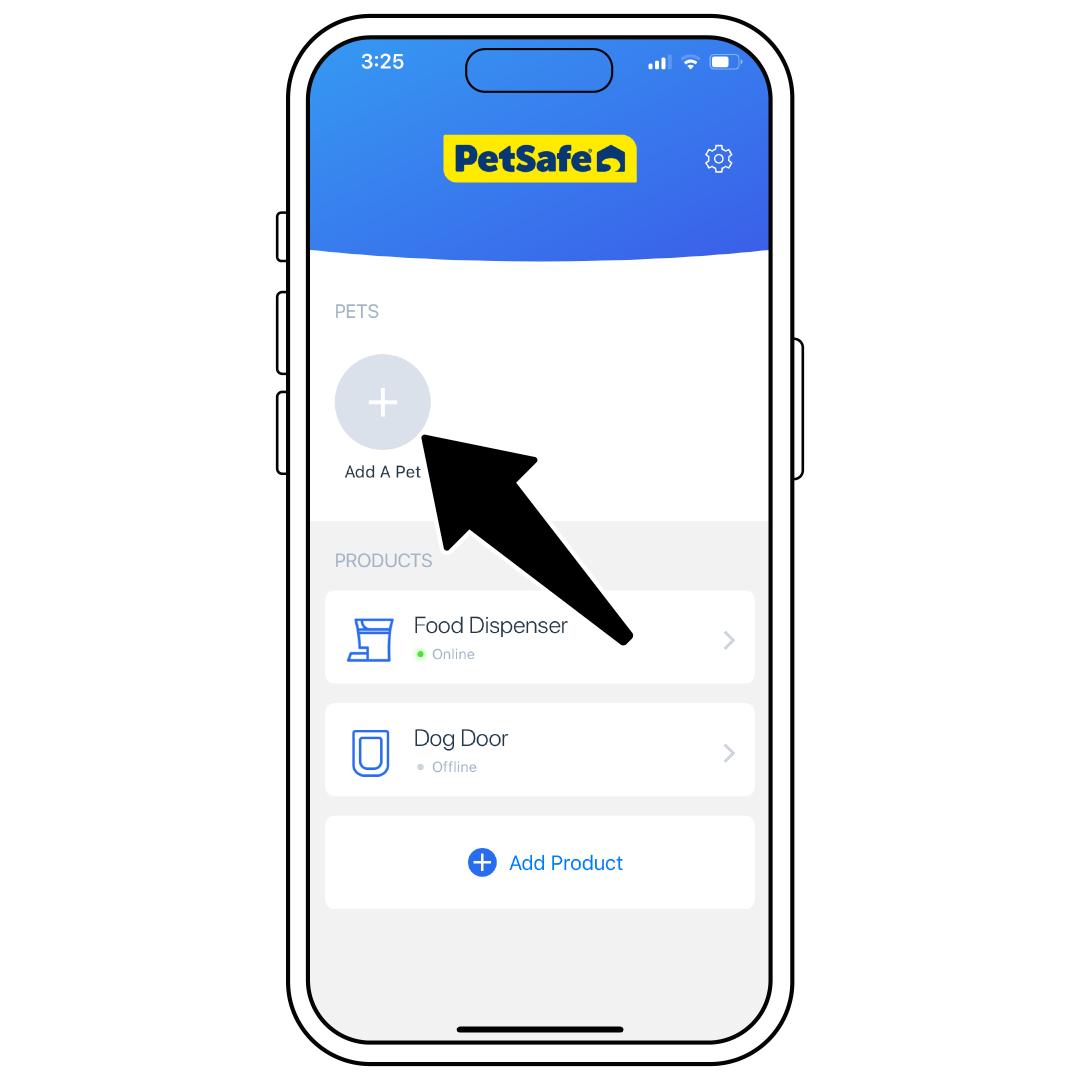
Open the My PetSafe® app and from the homepage under PETS, tap Add A Pet.
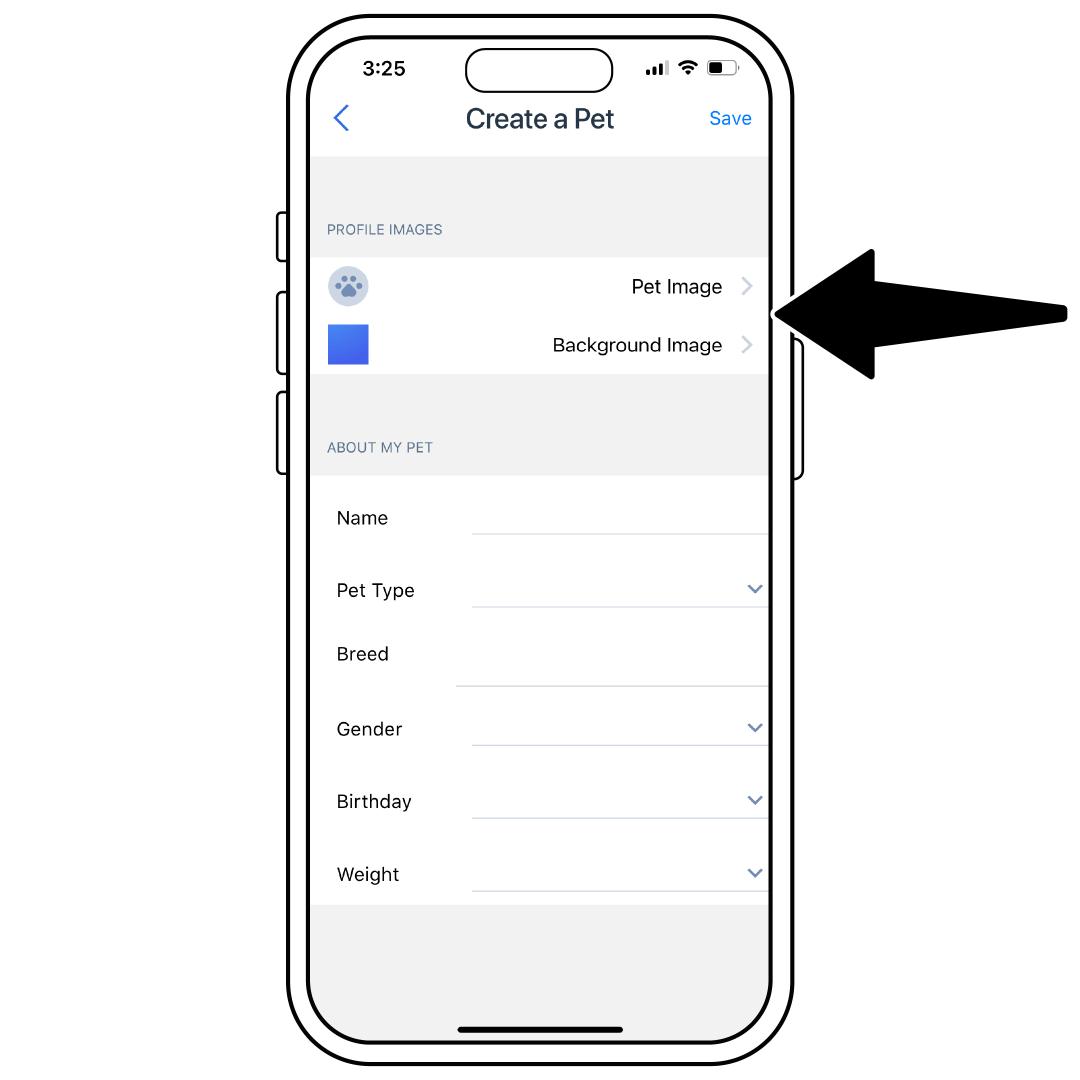
Tap Pet Image to either choose a photo from your existing library or take a new photo of your pet.
Tap Background Image to either chose a photo from your existing library or take a new photo.
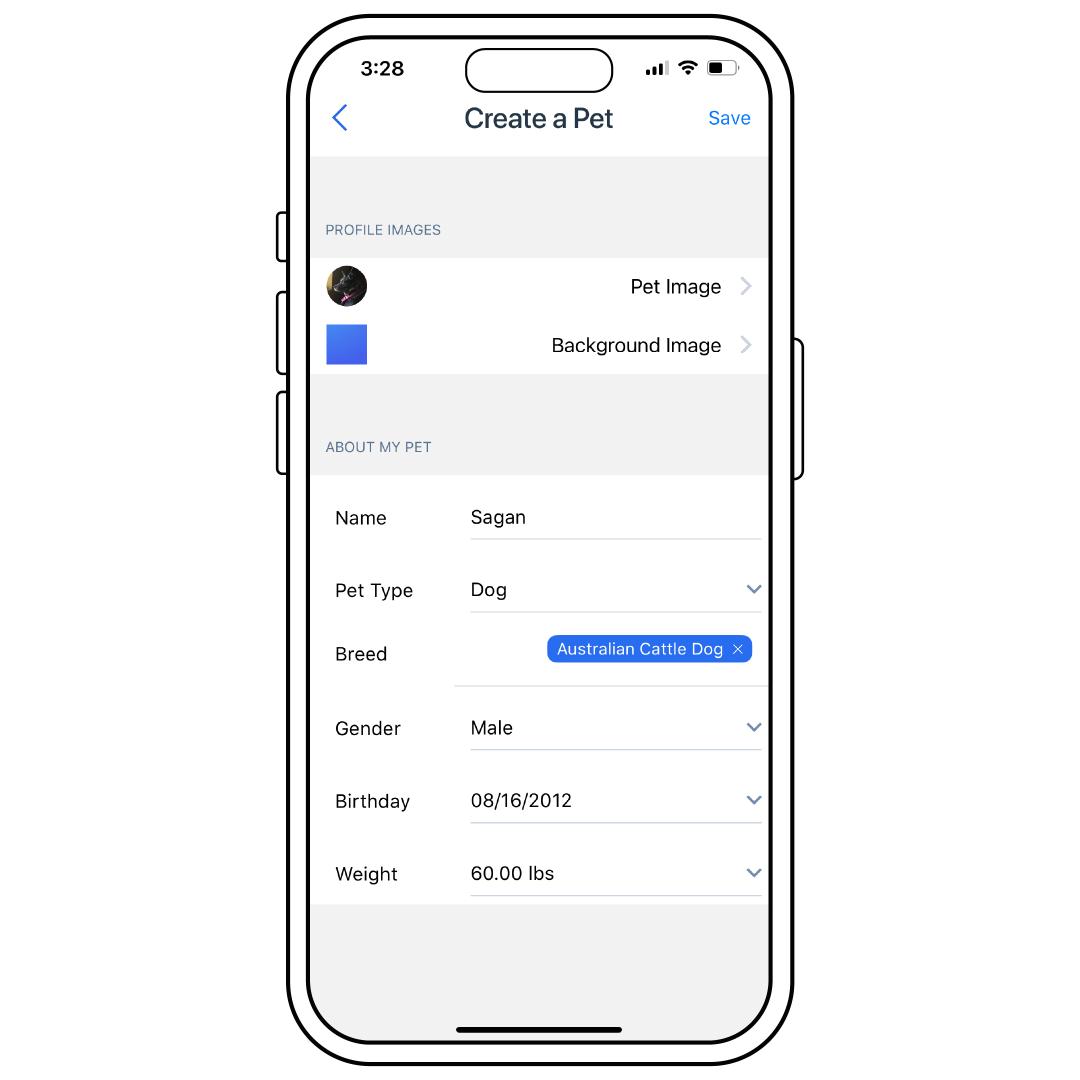
Under ABOUT MY PET, tap each field to fill out your pet’s Name, Pet Type, Breed, Gender, Birthday, and Weight.
Once complete, tap Save in the upper-right corner.
Edit a Pet
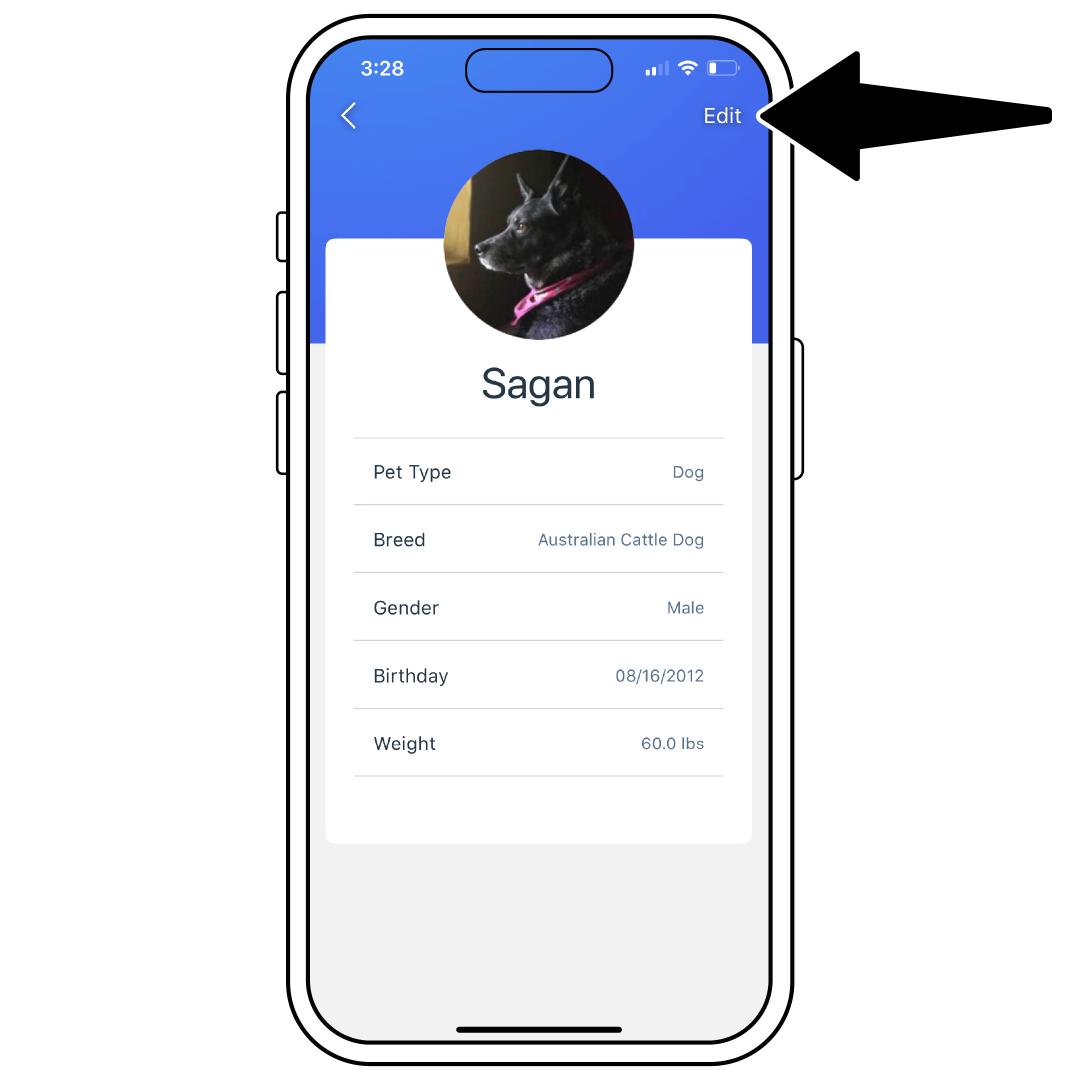
If you need to make changes, you can tap your pet’s picture on the homepage of the app, then tap Edit in the upper-right corner.
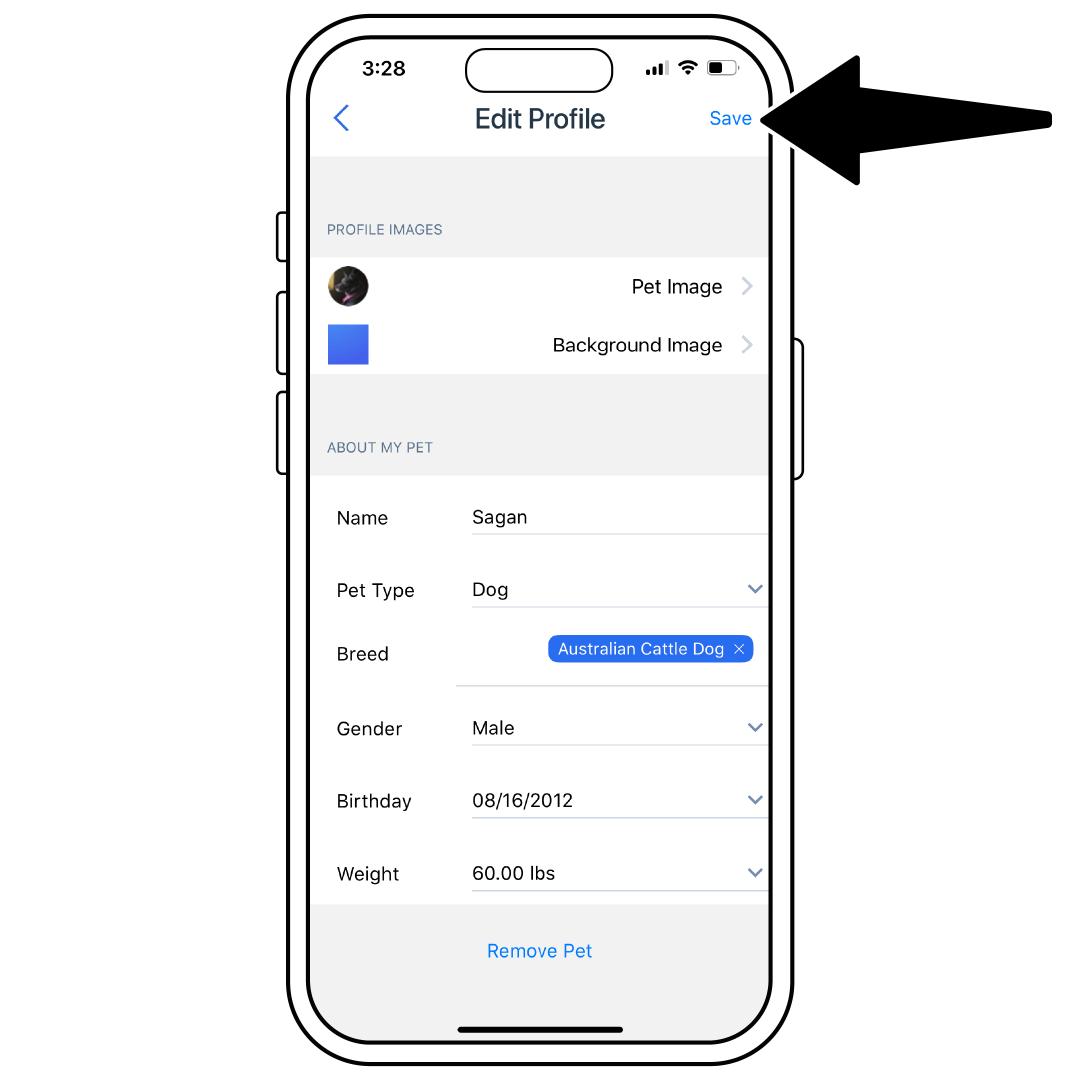
Select which field you would like to edit and make the necessary changes. When the edits are complete, tap Save in the upper-right corner.
Remove a Pet
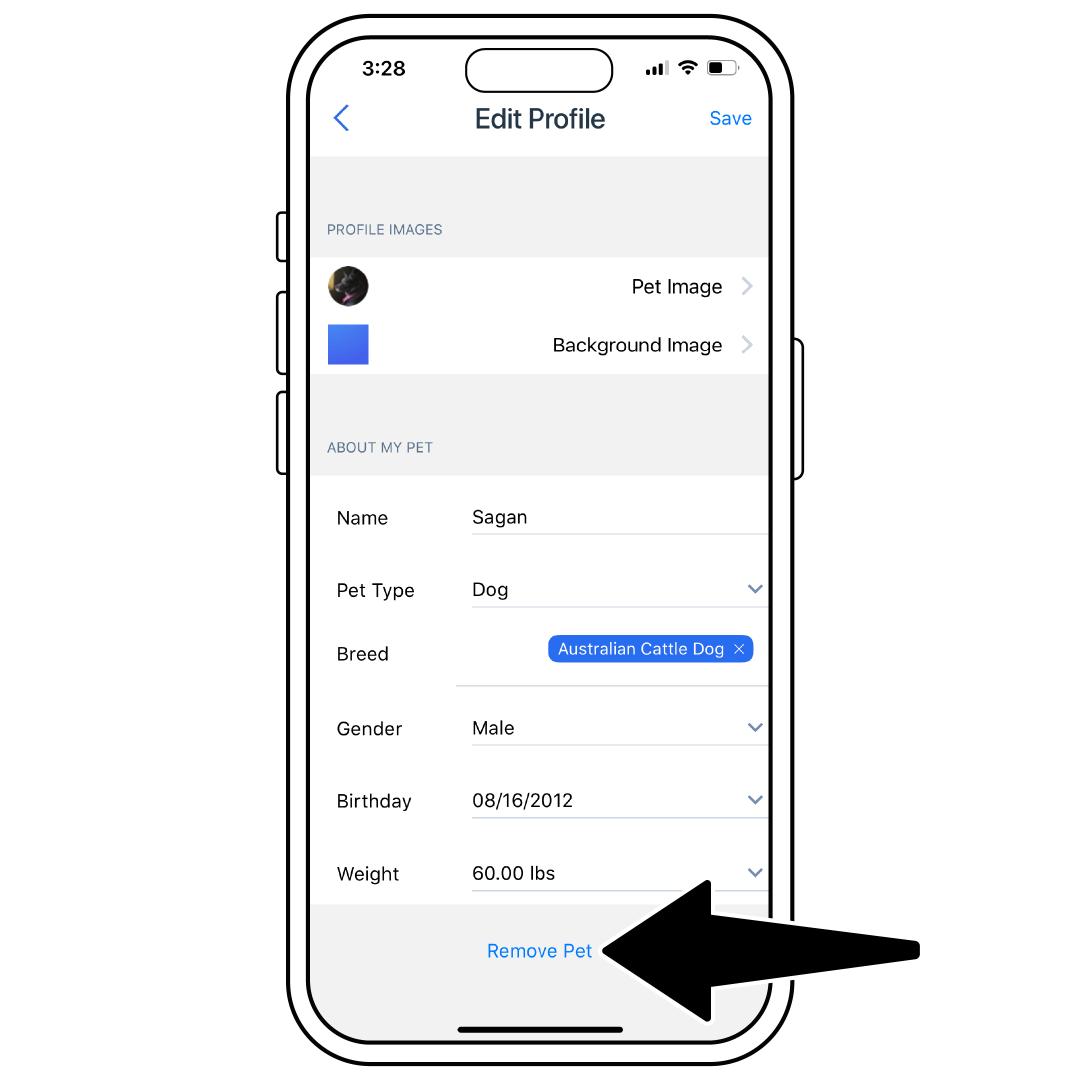
To remove a pet, tap your pet’s picture on the homepage of the app, then tap Edit in the upper-right corner. At the bottom, tap Remove Pet.
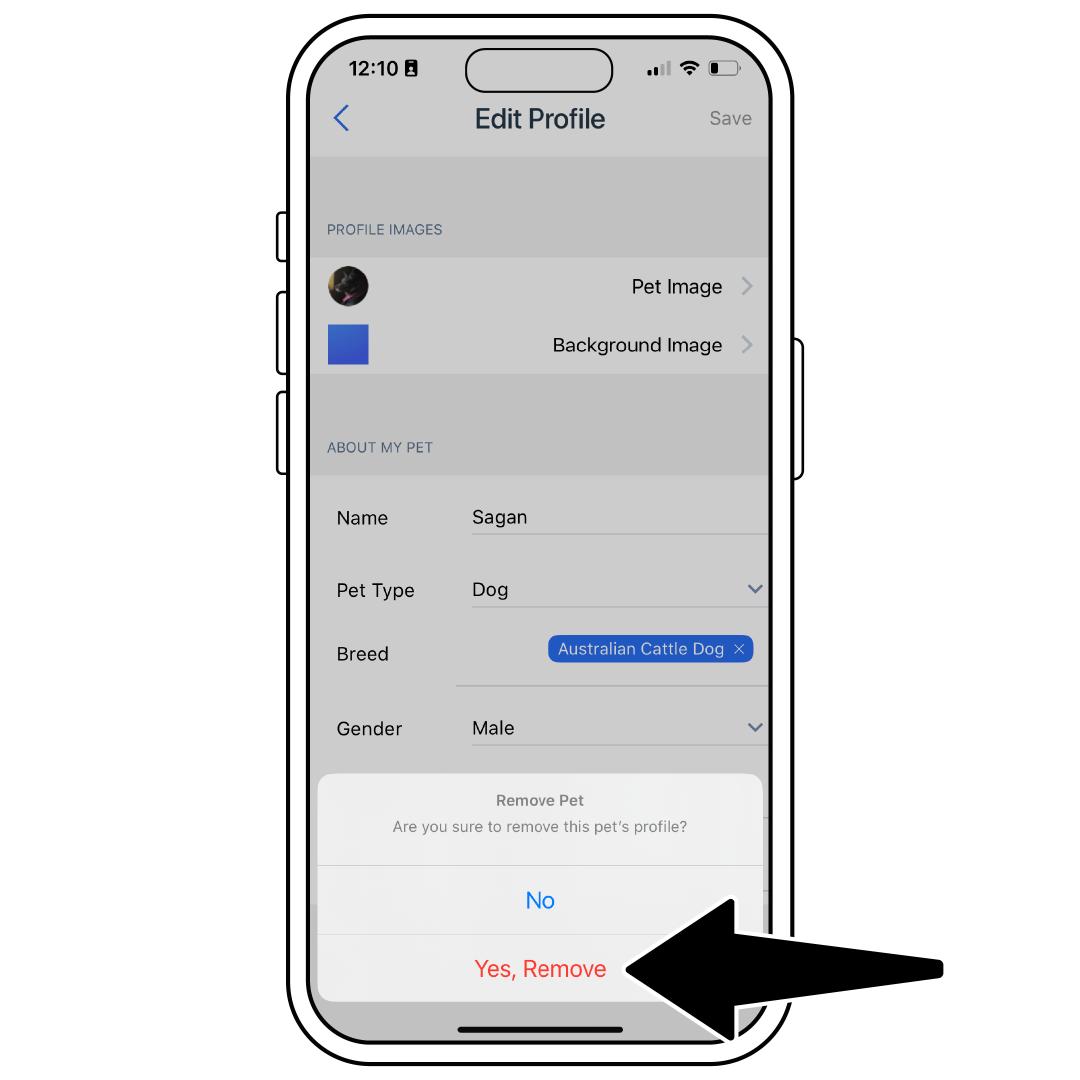
Select Yes, Remove to confirm.