How To Add, Replace or Remove a Key/Microchip for My PetSafe® SmartDoor™ Connected Pet Door
Important Information
When adding a new pet or replacing an existing key/microchip, make sure all other microchips or keys are out of range.
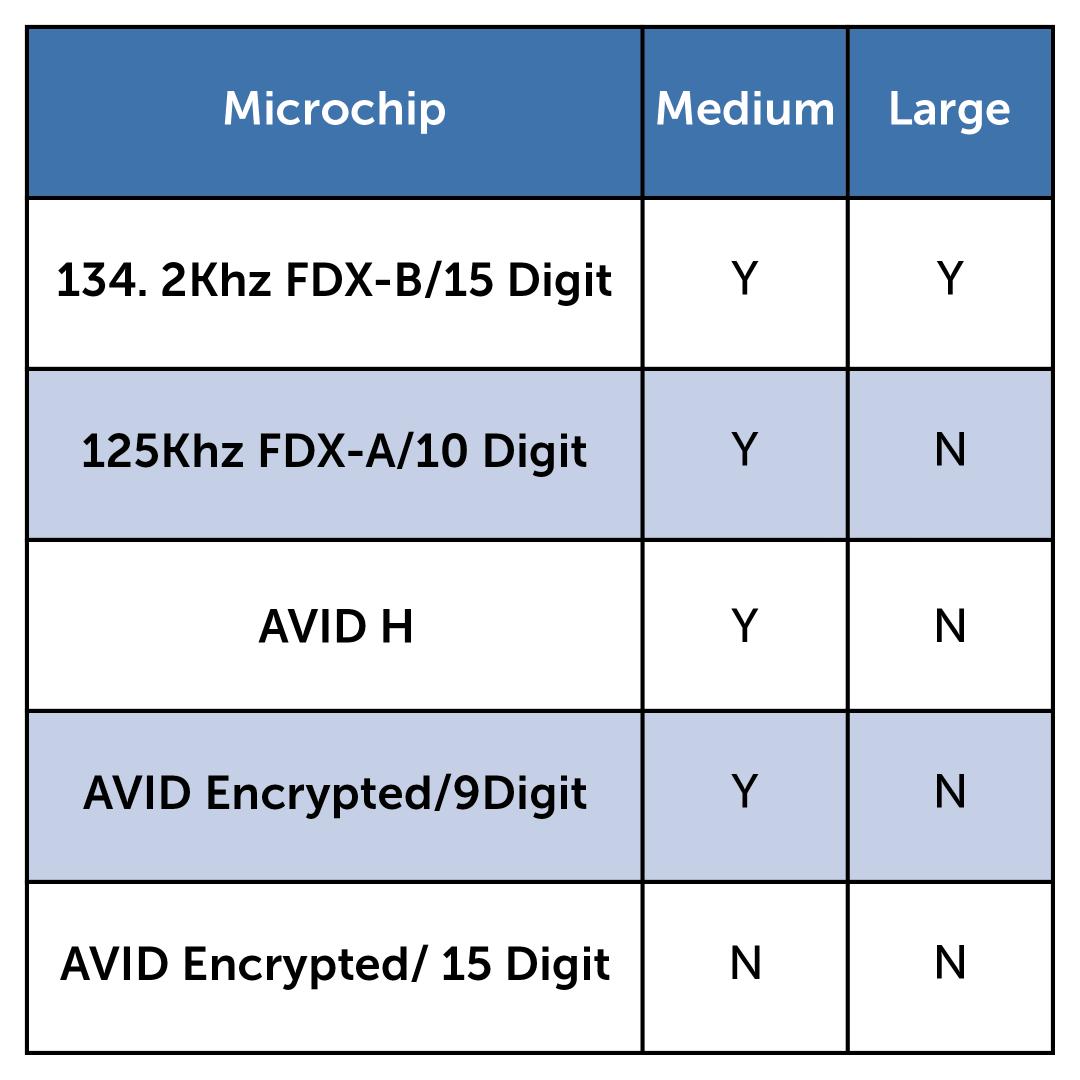
We recommend microchip use for cats only. For all other pets, we advise the use of the Pet Door Key. This chart indicates which microchips are compatible with each door.
To Add a New Pet
Open the My PetSafe® app and select your door from the product list.
If you have not already created a profile for your pet, do that first by selecting Add A Pet from the app homepage. For more information, visit How To Add, Edit or Remove a Pet Profile in My PetSafe® App.
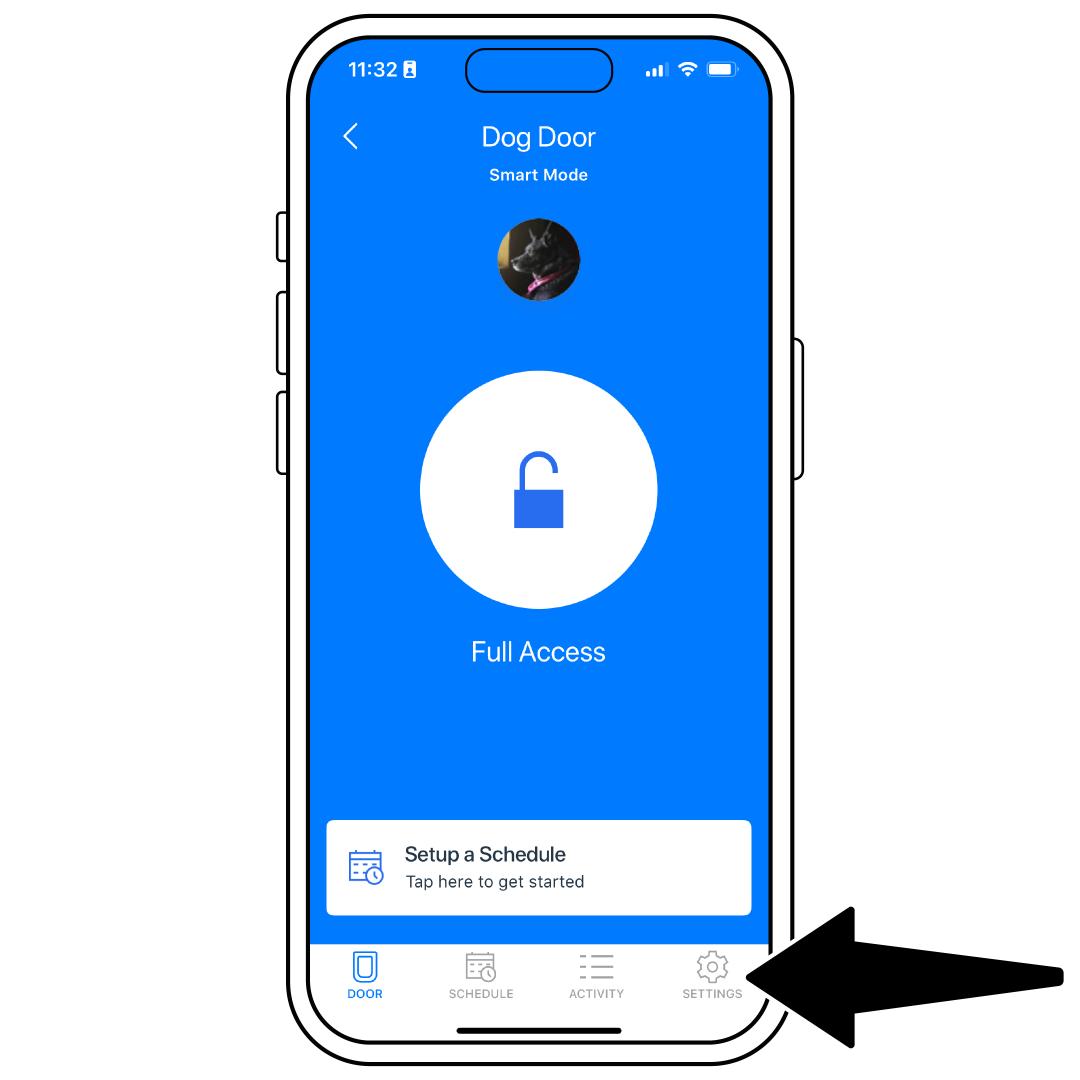
Tap Settings in the lower-right corner.
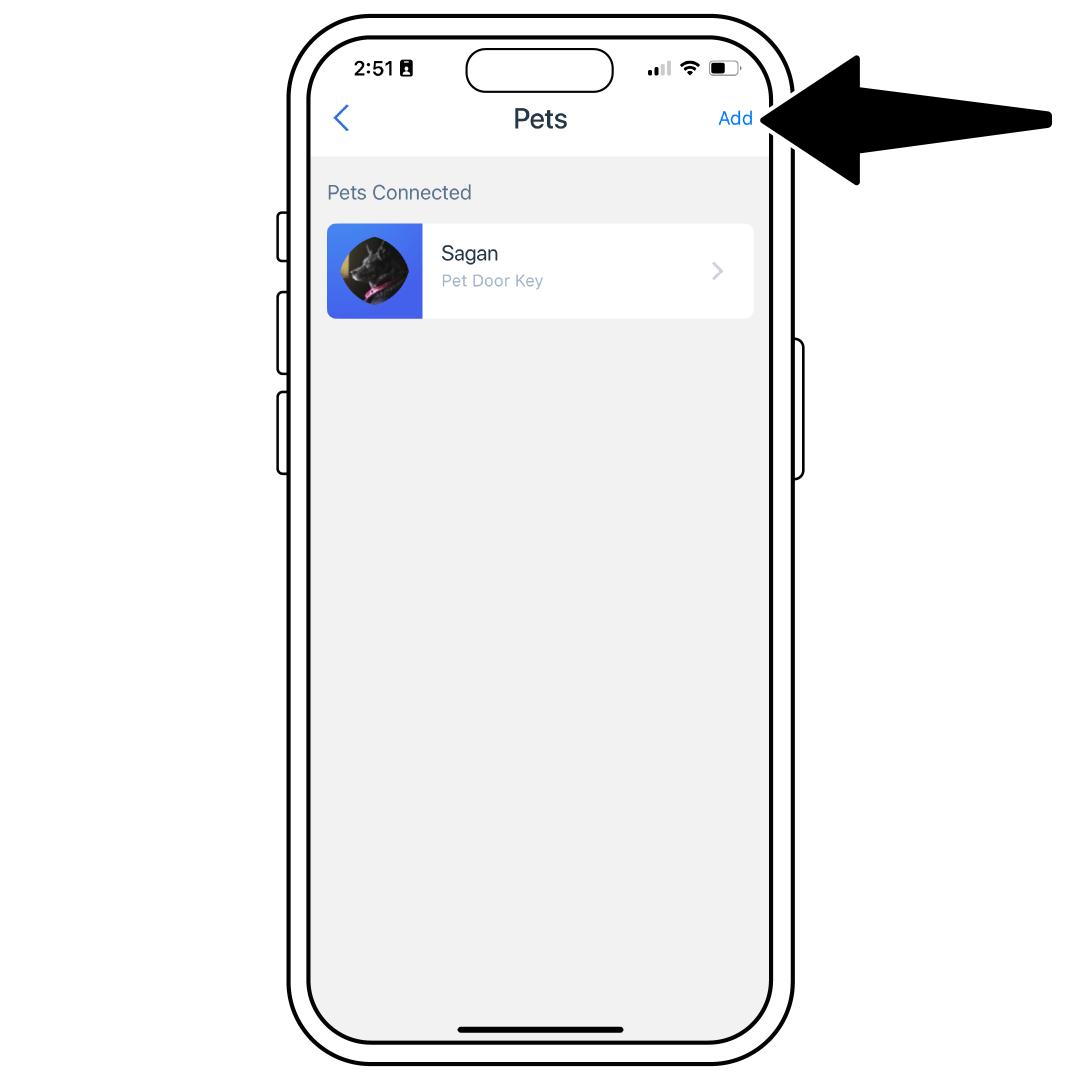
Select Pets, then tap Add in the upper-right corner.
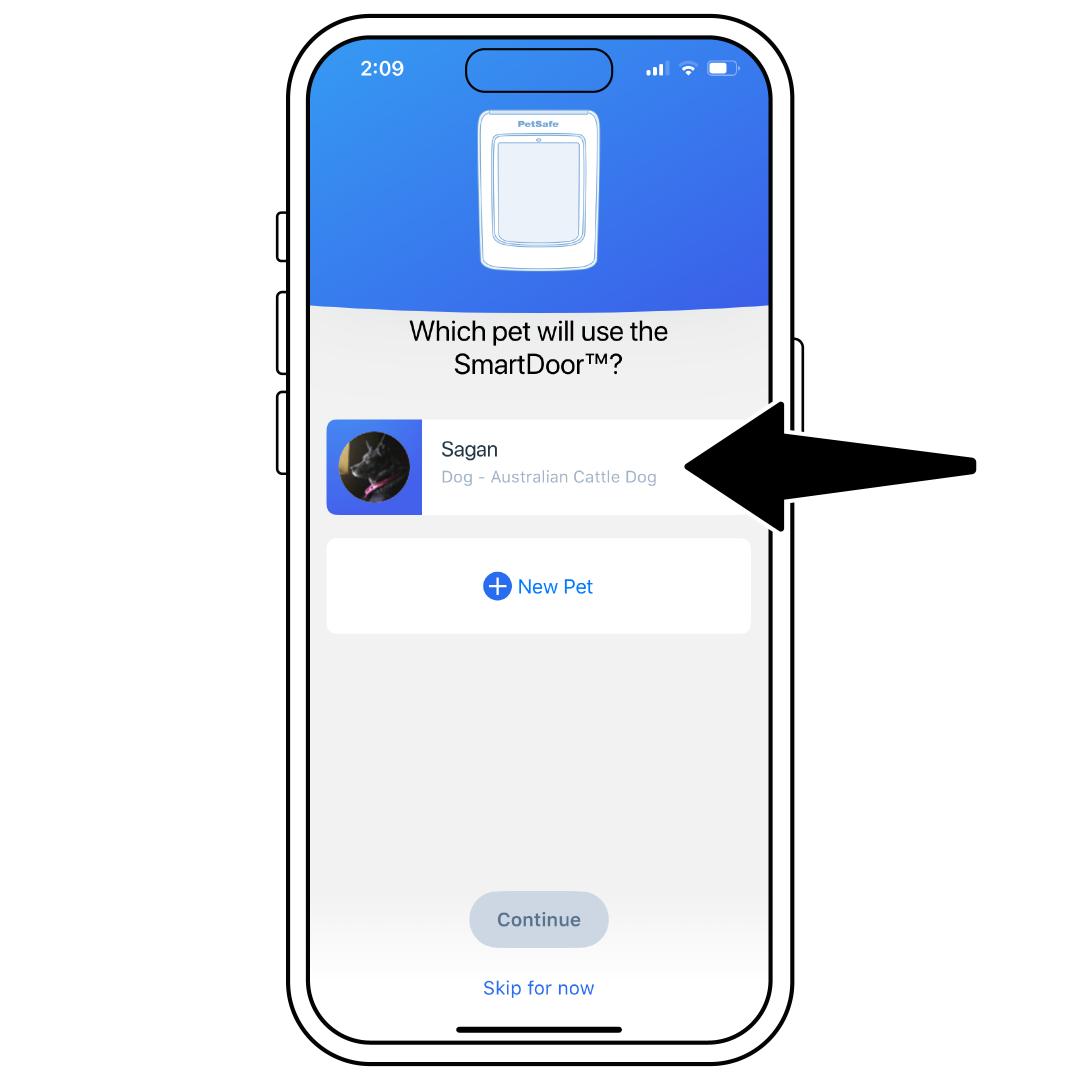
Select which pet will use the door. If you select a cat, choose whether it has a microchip or Pet Door Key, then tap Continue.
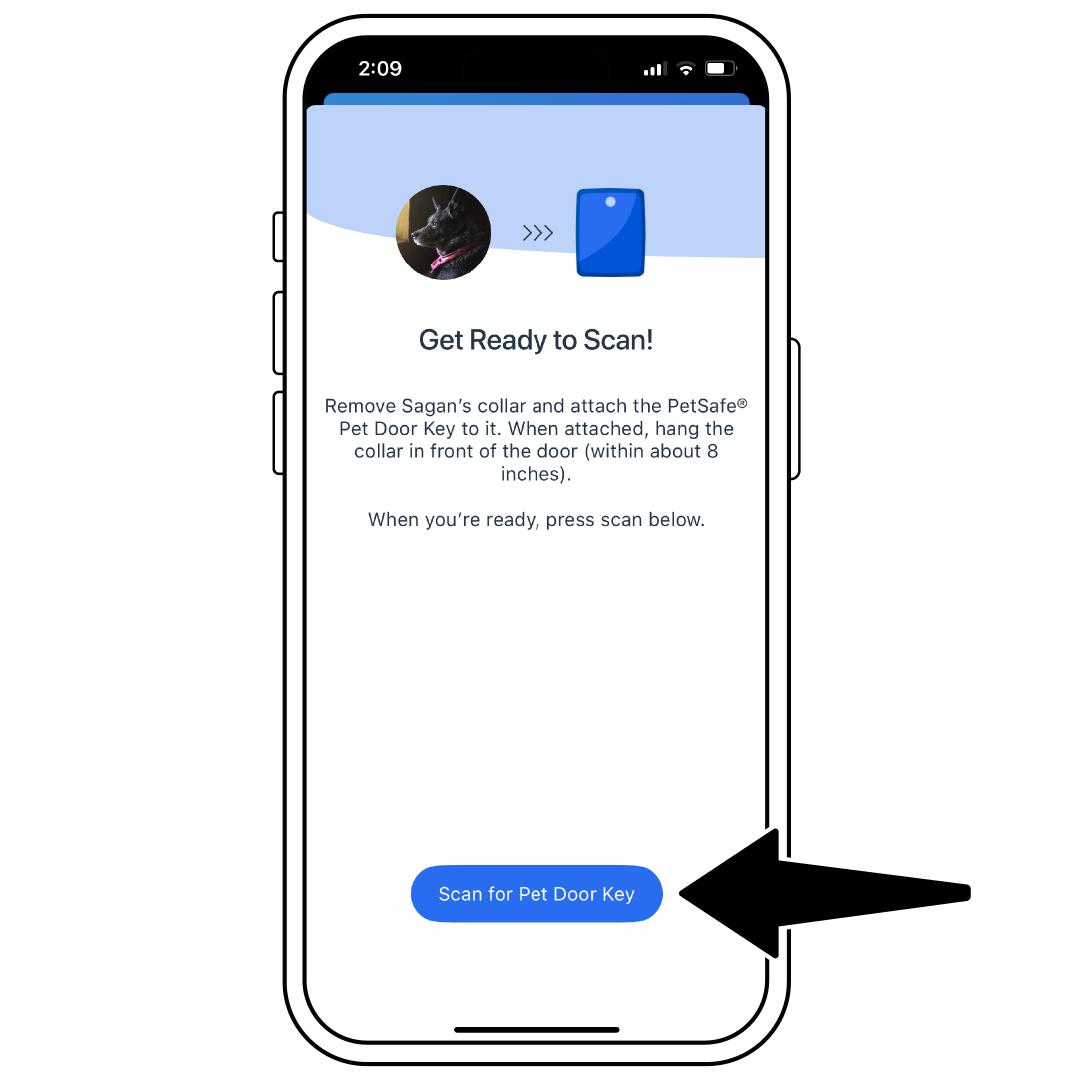
To pair, hold your key/microchip about 8 inches from the door and tap Scan for Pet Door Key. Avoid holding it too close, as this may reduce range.
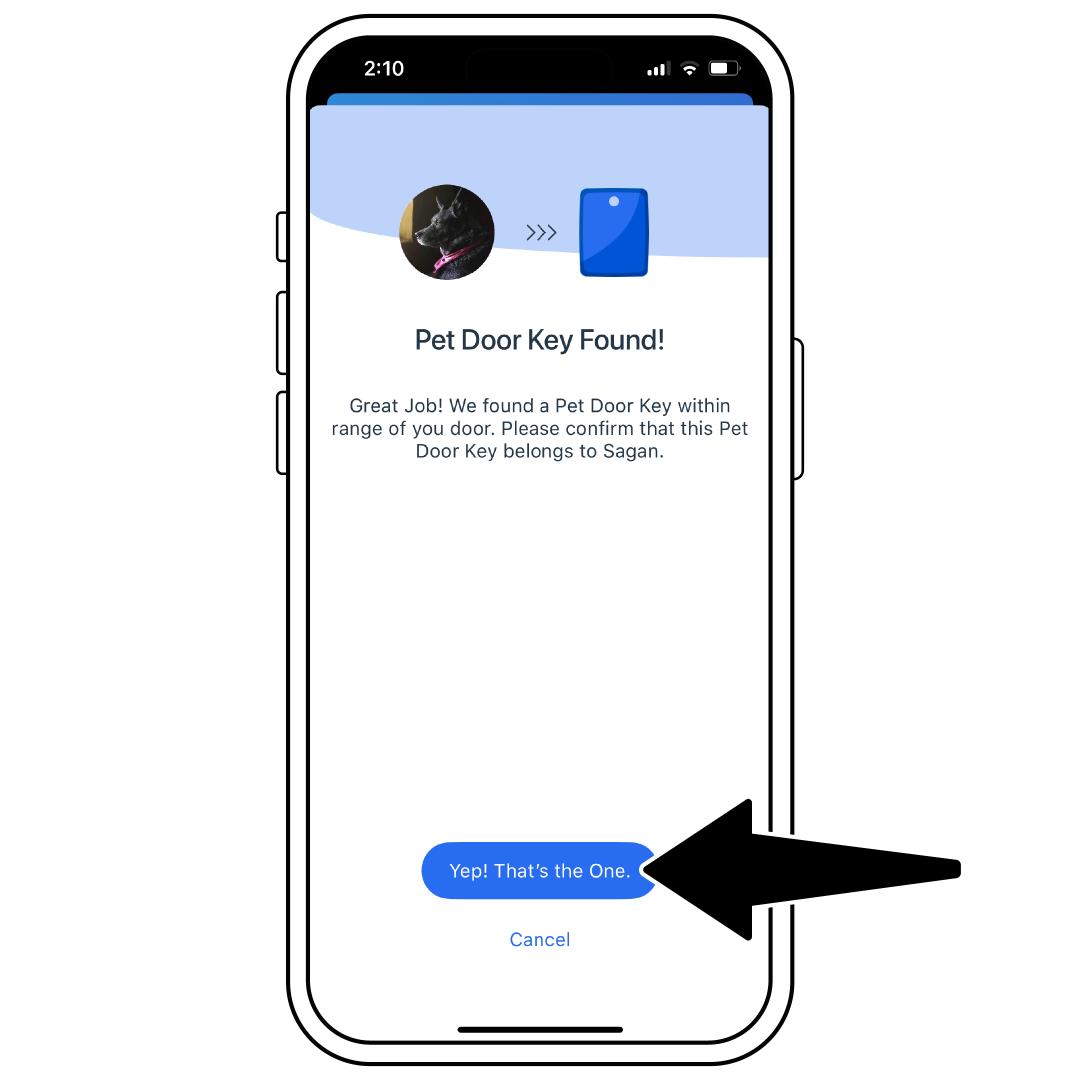
Once the key/microchip is found, select Yep! That’s the One.
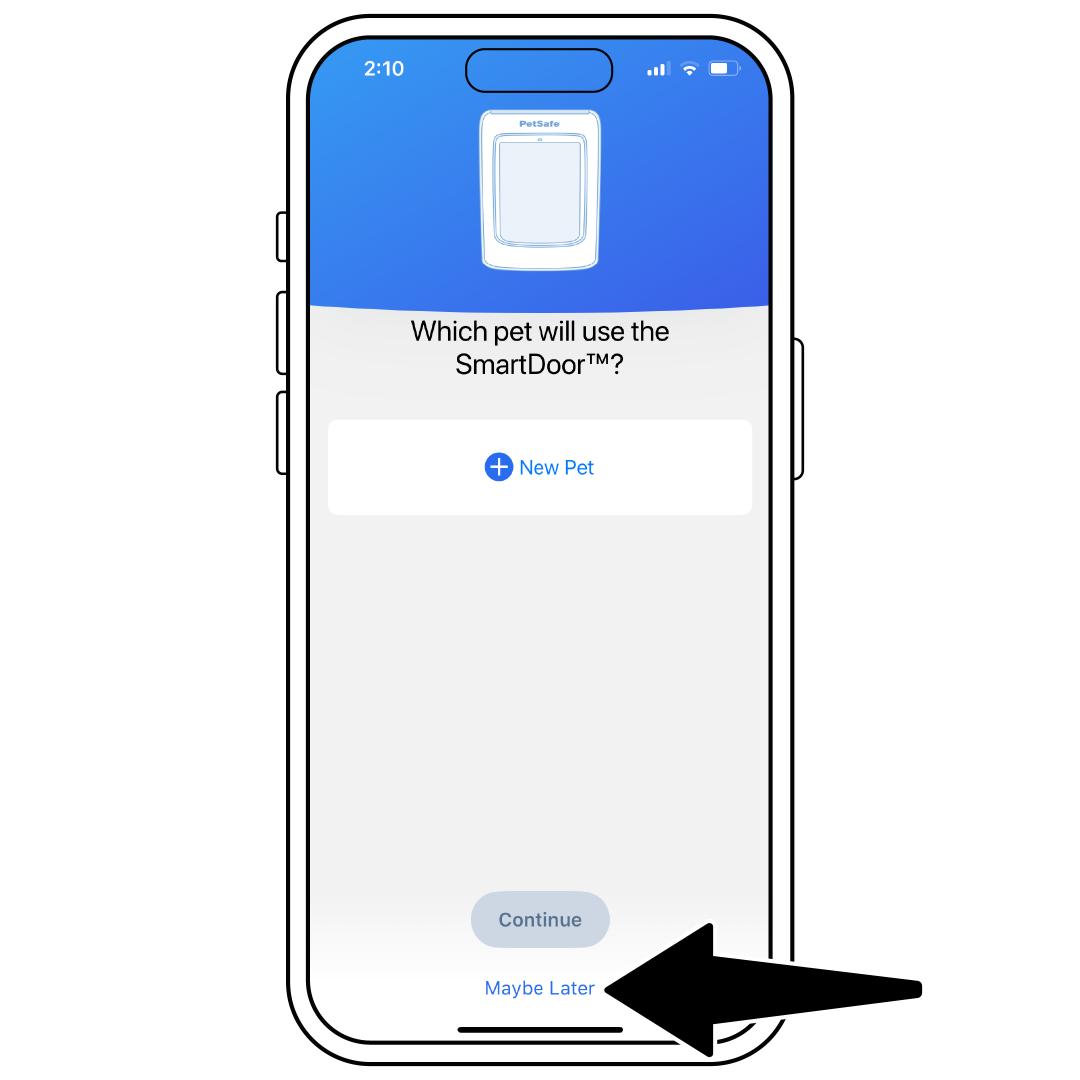
If this is the only key/microchip you are pairing, select Maybe Later. If you have additional Pet Door Keys to pair, you can select another pet or add a new pet and then sync those keys/microchips.
After successfully adding, you are ready to train your pet to the door. For more information, visit How To Train My Pet To Use My PetSafe® SmartDoor™ Connected Pet Door.
Remove a Pet
Open the My PetSafe® app and select your door from the product list.
Tap Settings in the lower-right corner.
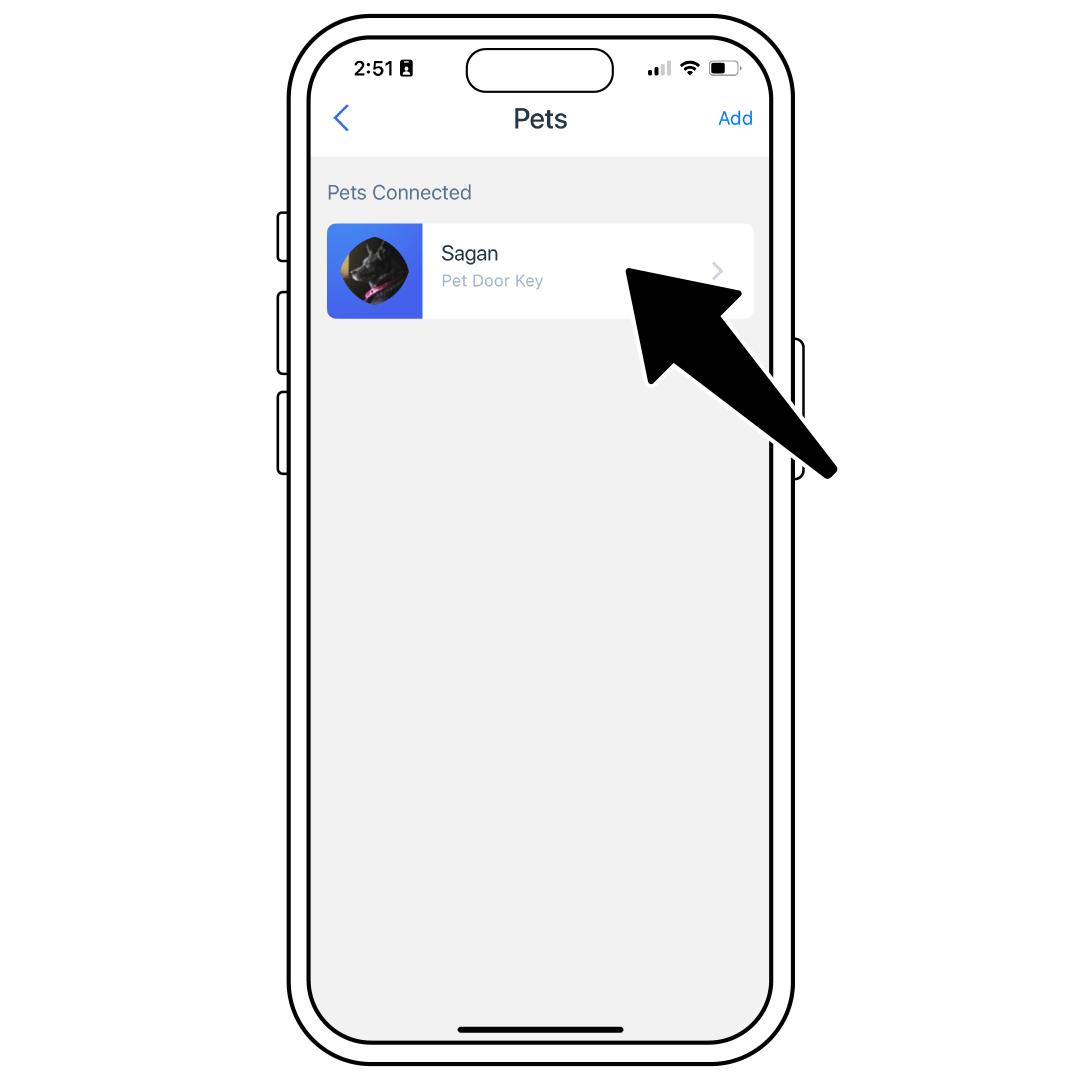
Select Pets, then tap the pet you would like to remove.
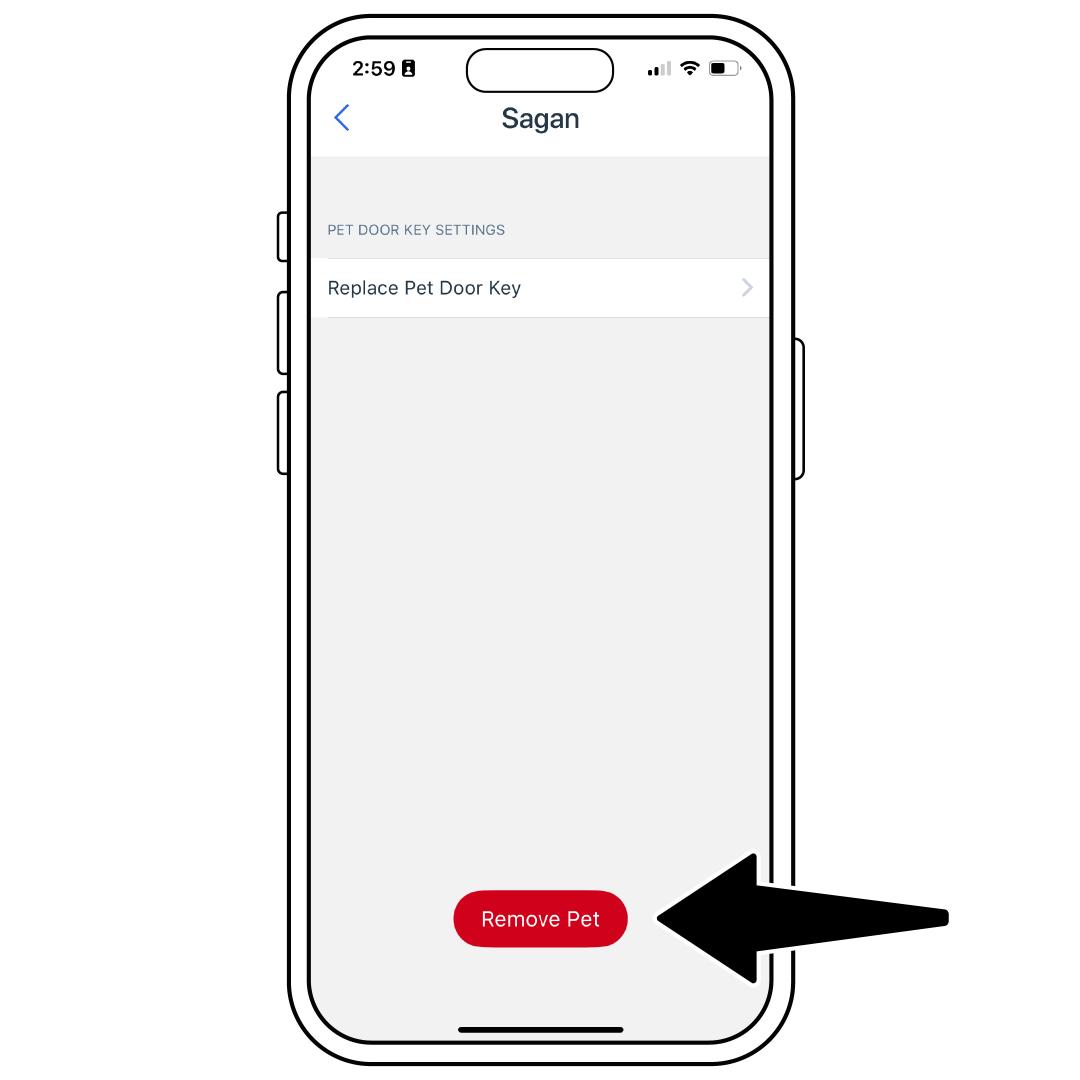
Tap Remove Pet at the bottom.
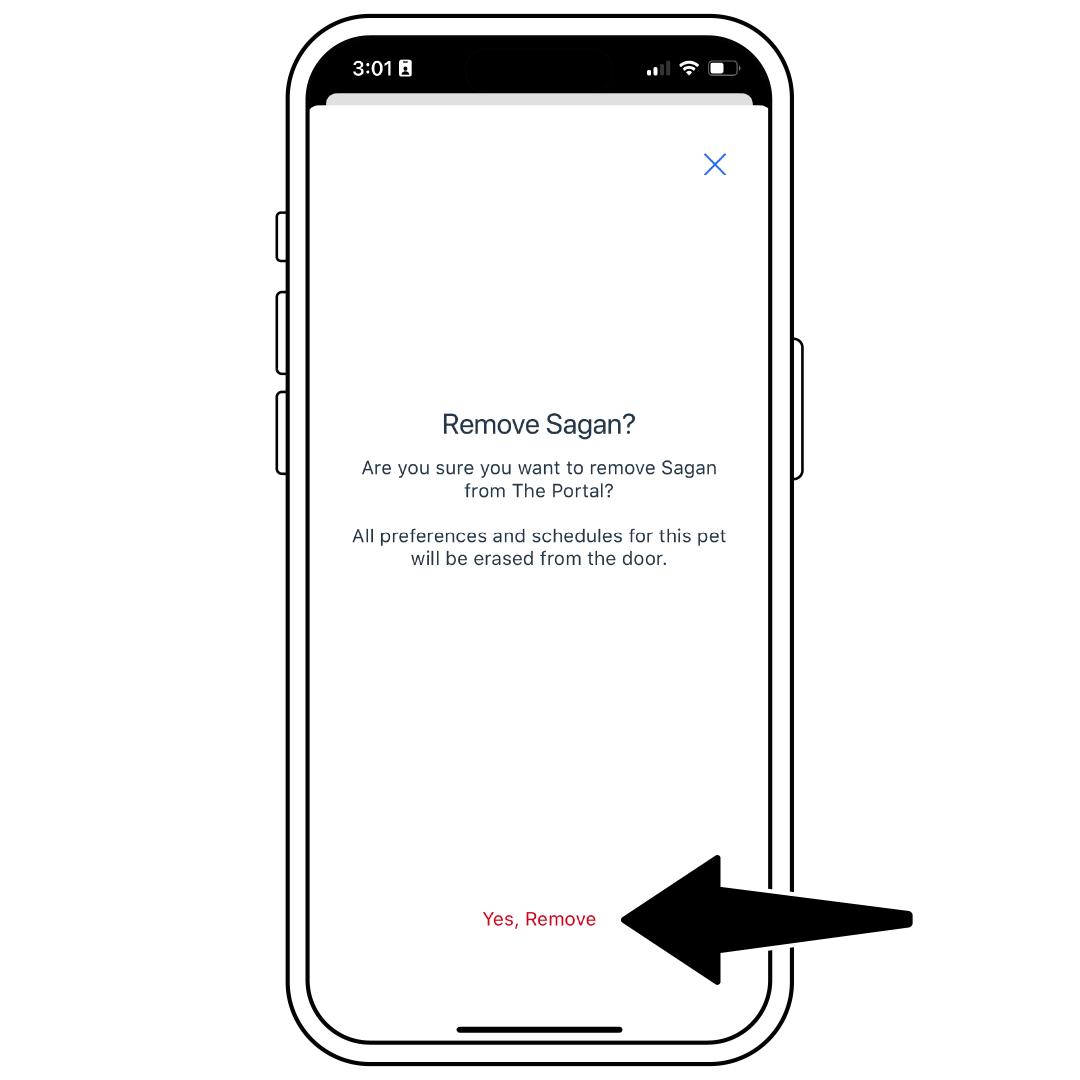
Then select Yes, Remove to confirm.
Replace the Key
Open the My PetSafe® app and select your door from the product list.
Tap Settings in the lower-right corner.
Select Pets, then tap the pet you would like to update the key/microchip.
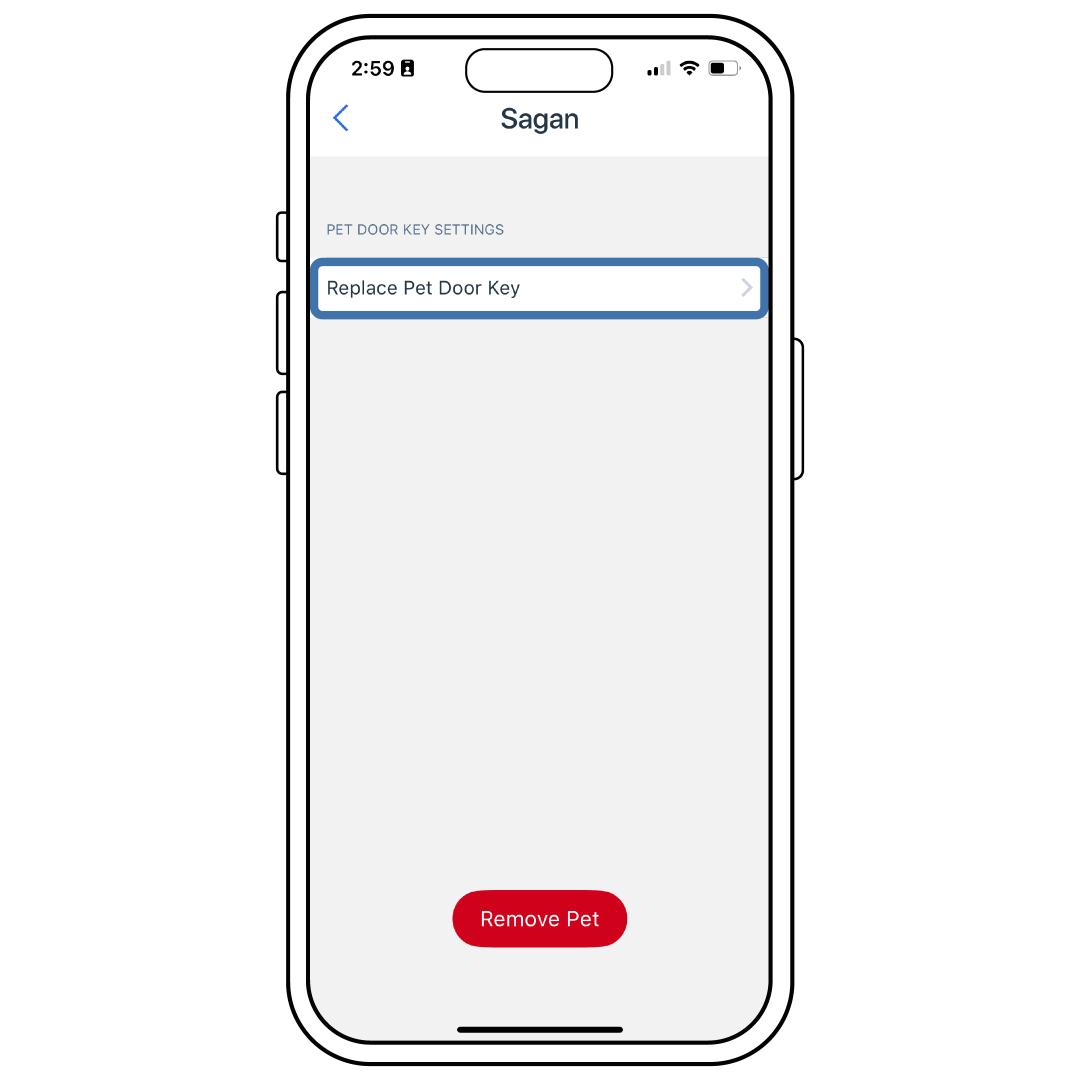
Tap Replace Pet Door Key. If the pet you selected is a cat, choose whether it has a microchip or Pet Door Key, then select Continue.
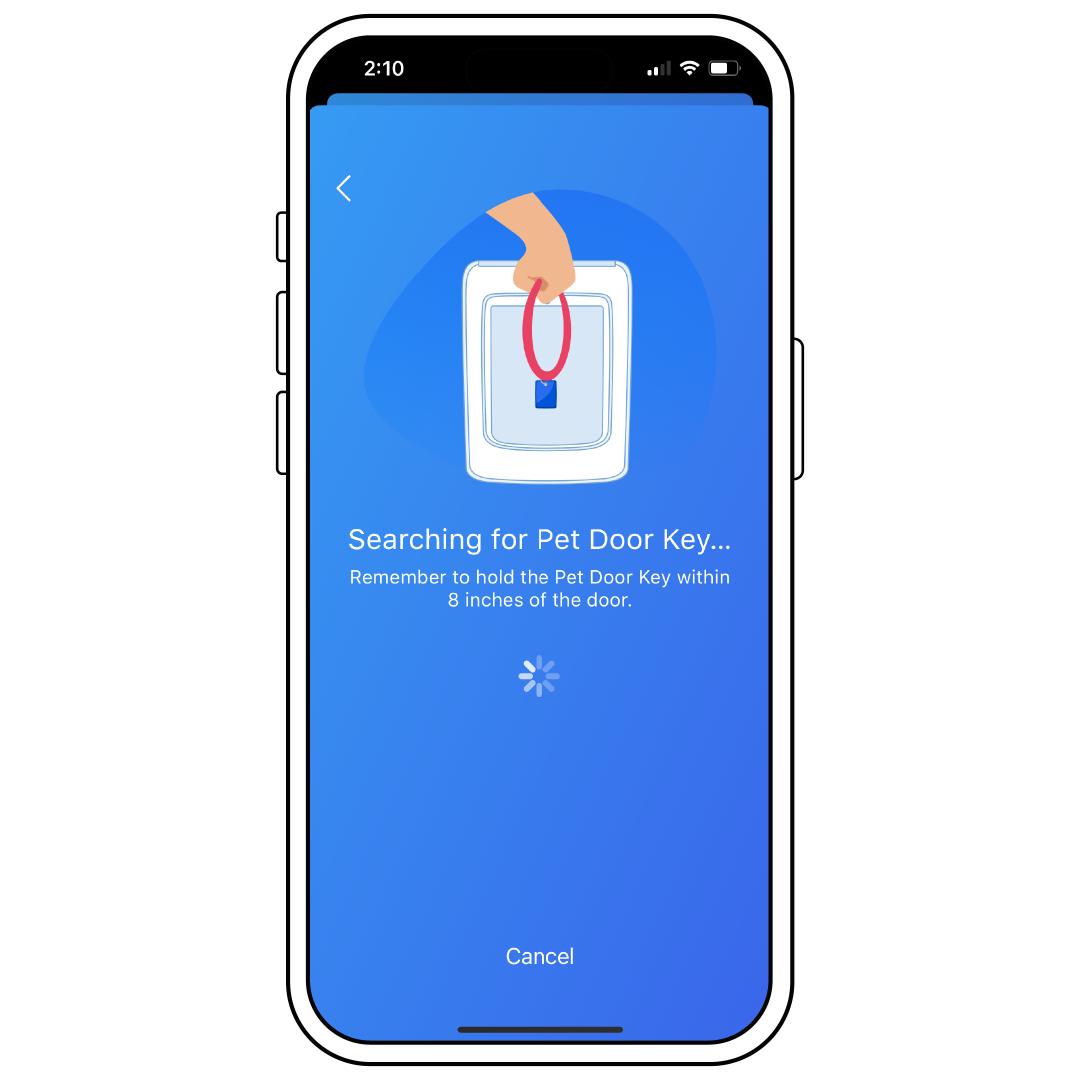
To pair, hold your key/microchip about 8 inches from the door and tap Scan for Pet Door Key. Avoid holding it too close, as this may reduce range.
Once the key/microchip is found, select Yep! That’s the One. Your pet is now ready to use their new key/microchip.