How To Change or Cancel My PetSafe® GPS Dog Tracker Subscription
Important: If you purchased your Tracker subscription in the My PetSafe® app, you need to create a PetSafe® website account to make changes to your subscription. Your app account and website account are separate, but both must use the same email address.
Update Subscription
You must change each Tracker subscription individually.
Create or Access your PetSafe Account.
If you purchased a Tracker subscription in the My PetSafe® app, you must create a PetSafe® website account before you can make changes to your subscription. Click here and select Create Account. Enter your information to create your PetSafe® account, making sure to use the same email address you use for the My PetSafe® app.
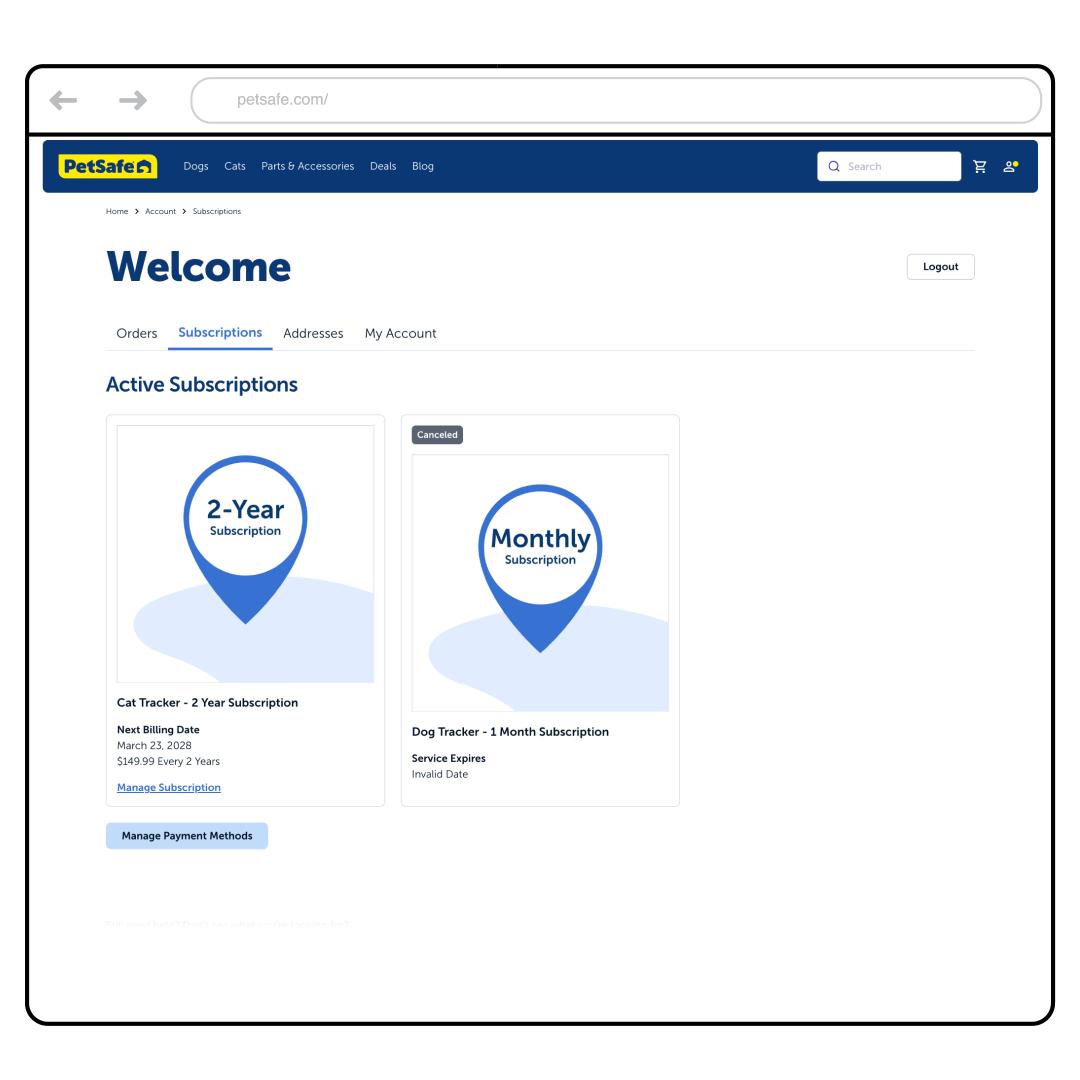
Go to the Subscriptions tab.
Scroll down and tap Manage Subscription.
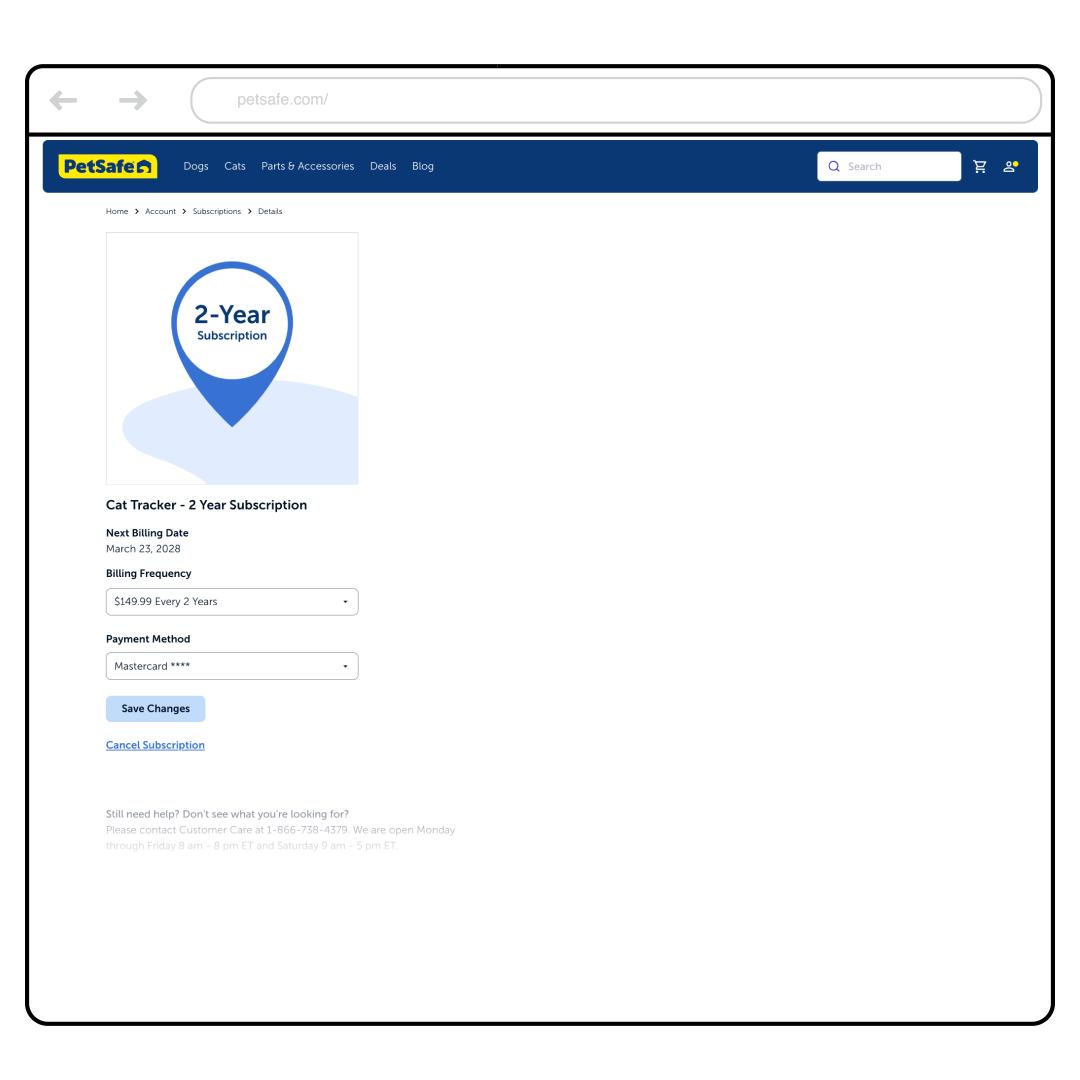
Select the Billing Frequency dropdown and choose Monthly, Annually, or Every 2 Years.
Then select Save Changes. You’ll be billed at the selected frequency starting on your next billing date.
Cancel Subscription
You must cancel each Tracker subscription individually.
Please note that if you cancel your subscription, you will no longer be able to use the Tracker features once the subscription period has ended.
Create or Access your PetSafe Account.
If you purchased a Tracker subscription in the My PetSafe® app, you must create a PetSafe® website account before you can make changes to your subscription. Click here and select Create Account. Enter your information to create your PetSafe® account, making sure to use the same email address you use for the My PetSafe® app.
Go to the Subscriptions tab.
Scroll down and tap Manage Subscription.
Tap Cancel Subscription at the bottom of the screen.
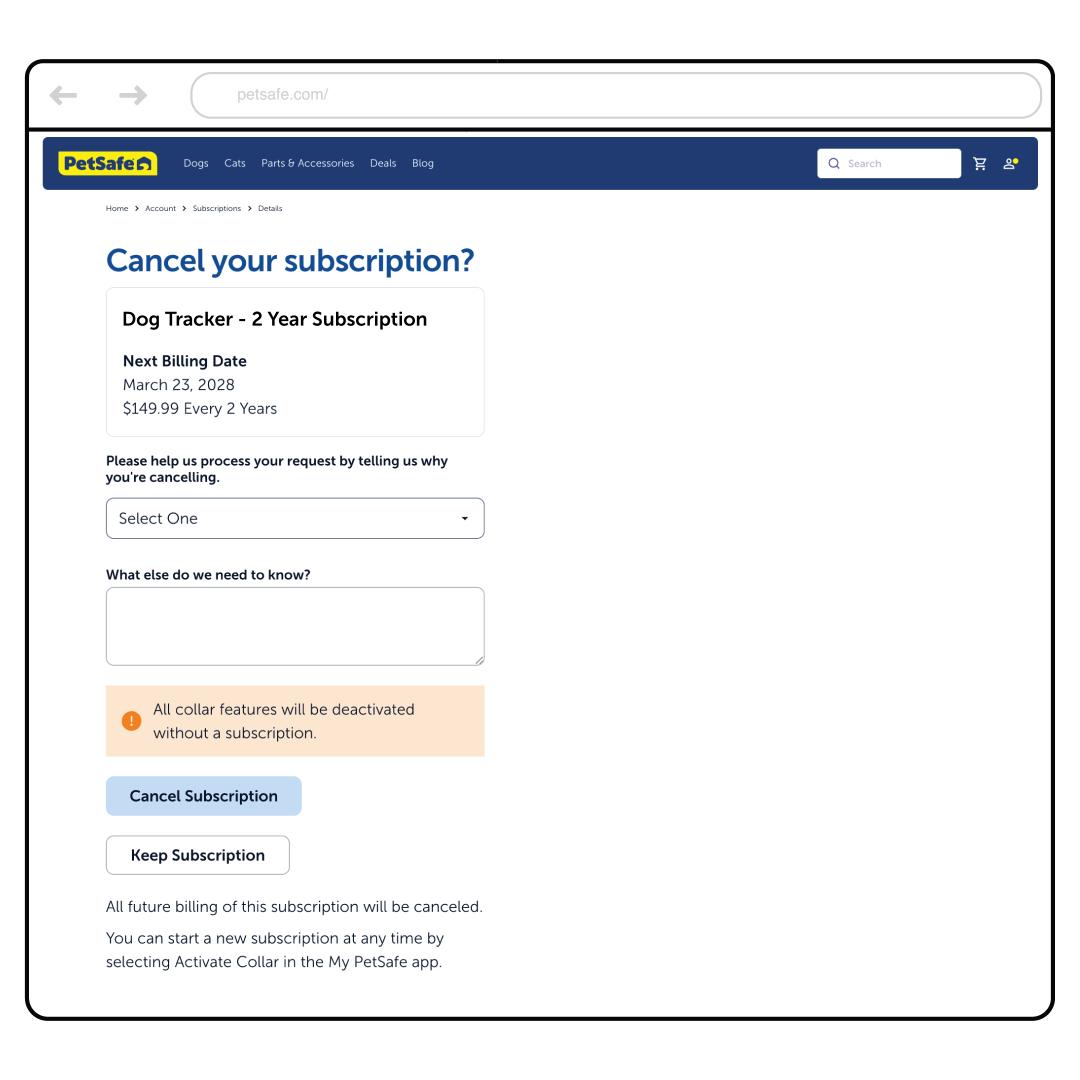
Select the reason for canceling and then tap Cancel Subscription.
Important: The subscription will end at the end of the current cycle. For example, if your yearly subscription ends on July 15th and you cancel in March, your subscription will not end until July 15, 2027.
Once your subscription ends, you will need to start a new subscription if you wish to use the collar features again.