How To Connect My PetSafe® ScoopFree® SmartSpin™ Self-Cleaning Litter Box to the App
Download the PetSafe® Pet Companion app using the links below. This is a different app than what is used for other PetSafe® connected products.
Connect your phone to a 2.4GHz Wi-Fi network and turn your Bluetooth on. The litter box will not connect to a dual-band (2.4 and 5.0GHz) network.
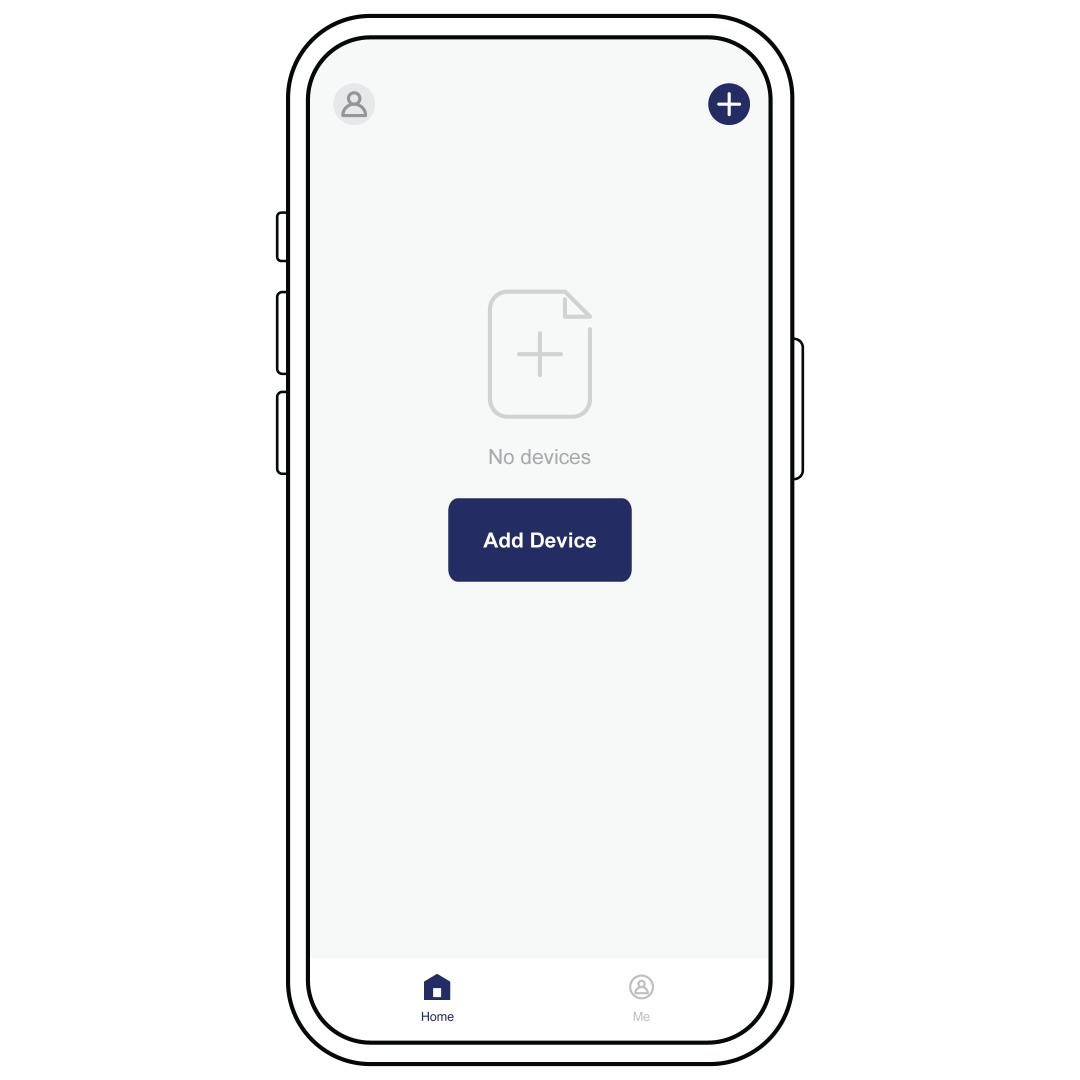
Open the app, log in and select Add Device. Keep your phone near the SmartSpin™ during the connection process.
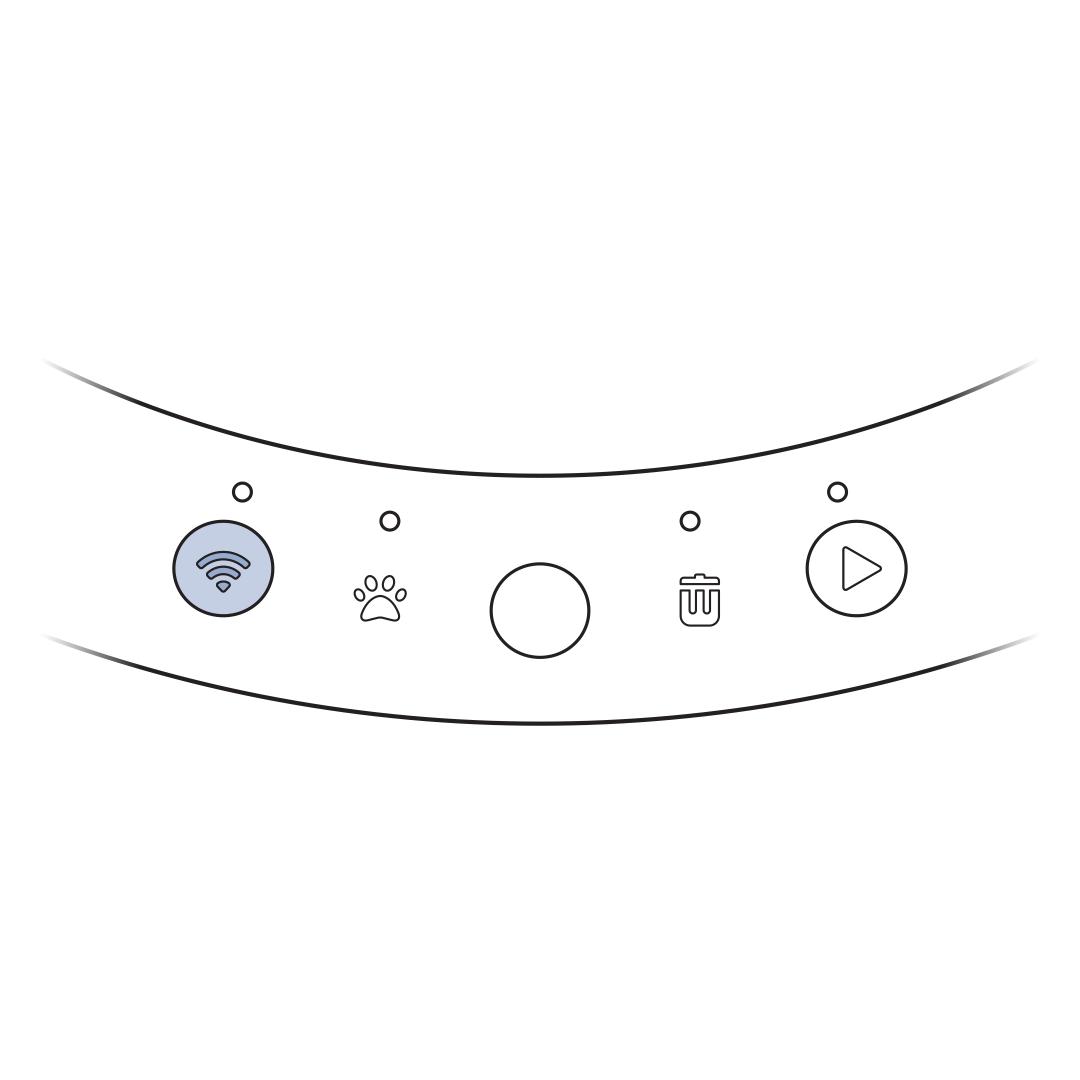
Press and hold the Reset Button on the control panel for 5 seconds until the Reset Light begins to flash.
Follow the prompts within the app. Allow the appropriate permissions as requested.
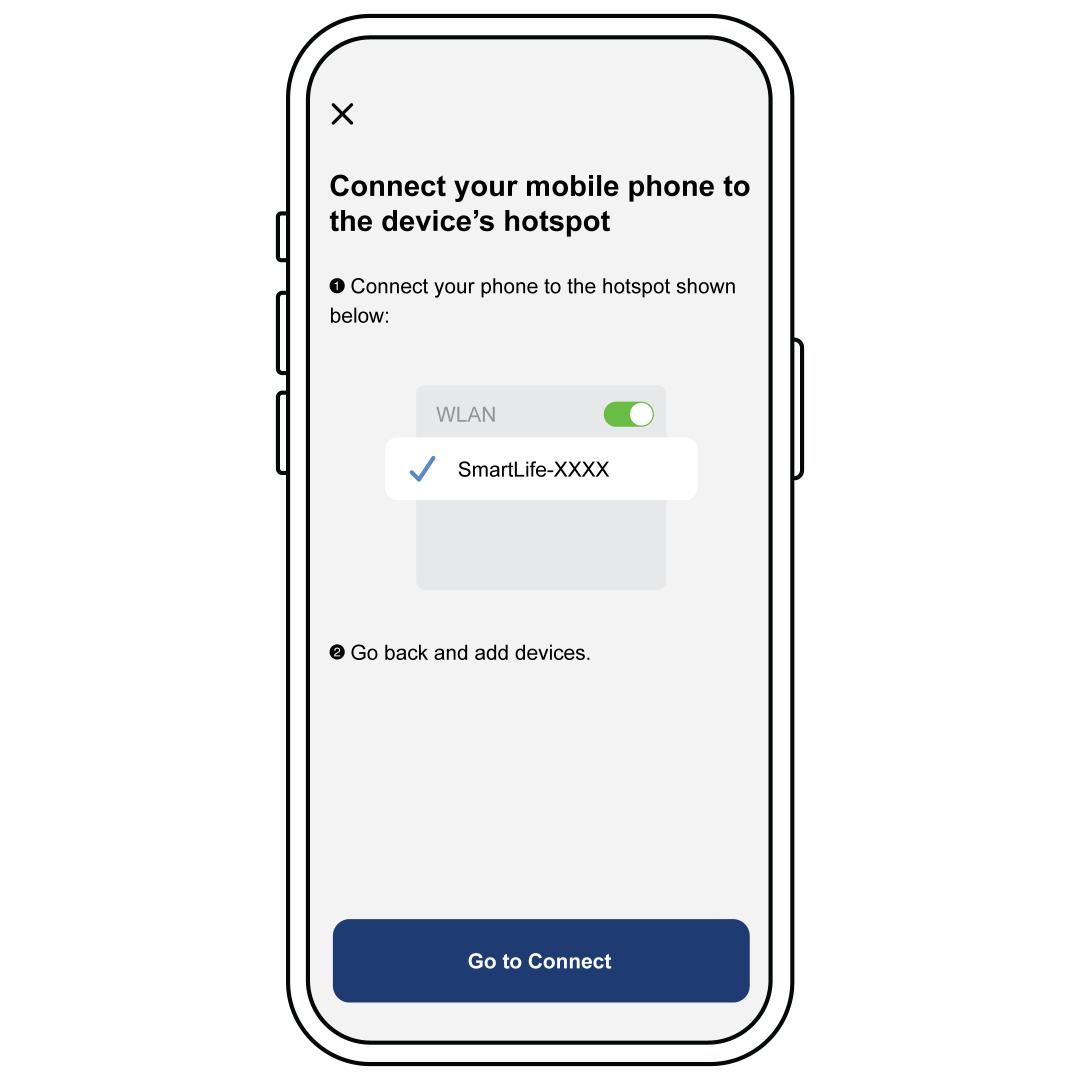
If you experience the screen shown above, but the “SmartLife-XXXX” is not listed in your Wi-Fi devices, press the Wi-Fi Reset Button on the machine. Navigate back to the app. The litter box should auto-connect and allow you to proceed.
If the litter box will not connect or will not stay connected to Wi-Fi, visit My PetSafe® ScoopFree® SmartSpin™ Self-Cleaning Litter Box Will Not Connect to Wi-Fi