How to Reset the PIN on the PetSafe® SMART DOG® Trainer
Reset PIN
Follow the steps below to reset your PIN if the current PIN has been forgotten or access is no longer available.
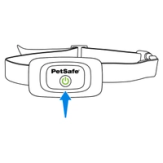
Make sure the collar is powered on. Press and hold the button on the collar until a beep is heard and the light flashes green to turn the collar on.
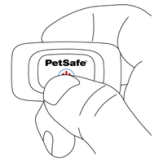
Press and hold the power button for 10 seconds to reset the collar. The light turns red, and the collar turns off. Continue holding the button.
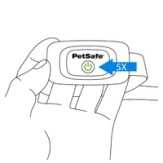
The collar flashes green and beeps five times to indicate that the PIN has been reset. Release the button.
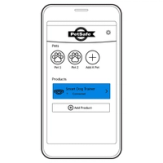
Turn the collar on.
Open the My PetSafe® app, select your collar, and follow the on-screen prompts to set a new PIN and reconnect your collar.
View Current PIN
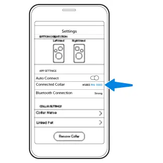
To view your collar’s current PIN, open the My PetSafe® app, select your collar, and scroll to APP SETTINGS. The PIN is shown under Connected Collar.
Use this PIN during the set up with the new device.
Contact Customer Care
If you need further assistance, please contact our customer care team.