How to Test My PetSafe® SMART DOG® Collar
Confirm Power and Charge
Turn the collar on by pressing and holding the power button until you see a green light and hear a beep. If your collar is fully charged it will flash green every 5 seconds. If the light is red, you will need to charge your collar. For more information on charging, visit How to Charge My PetSafe® SMART DOG® Trainer.
Test Each Function
Static
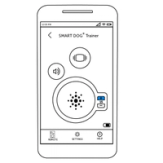
Set the correction level to 15 on the remote.
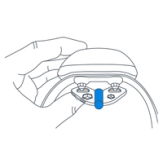
Using your test light tool, touch the collar’s contact points to the wires on the tool.
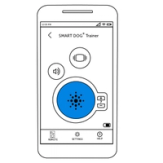
Then press and hold the static button on your phone. The middle of the Test Light Tool will flash an amber light.
Vibration
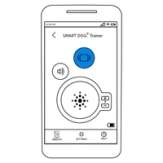
Press and hold the vibration button on your phone for the collar to vibrate.
Tone
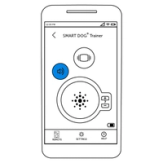
Press and hold the tone button on your phone for the collar to beep.
Contact Customer Care
If you need further assistance, please contact our customer care team.