How To View My PetSafe® GPS Cat Tracker’s Timeline History
Safe Zone history shows every event within the past 30 days. An event occurs when your GPS Cat Tracker leaves and re-enters a Safe Zone.
Additionally, you can view your cat’s “stomping grounds.” This is a heat map showing where your cat spends most of their time during the day. View more information below, under Stomping Grounds.

Open the My PetSafe® app and choose GPS Tracker from the product list if prompted.
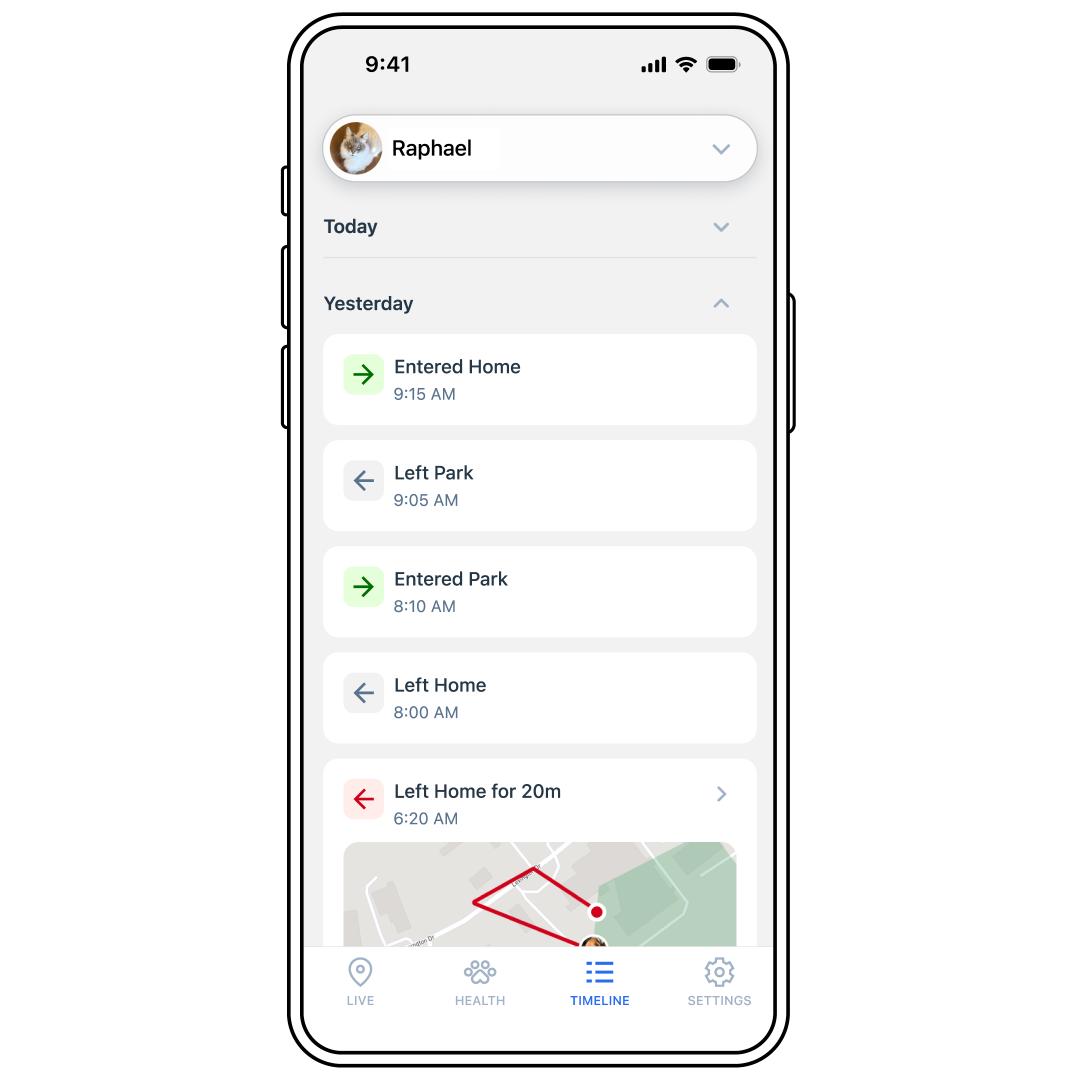
Tap TIMELINE at the bottom of the app screen.
Tap a day (Today, Yesterday, etc.) to see the expanded view.
Scroll to see the time of each event.
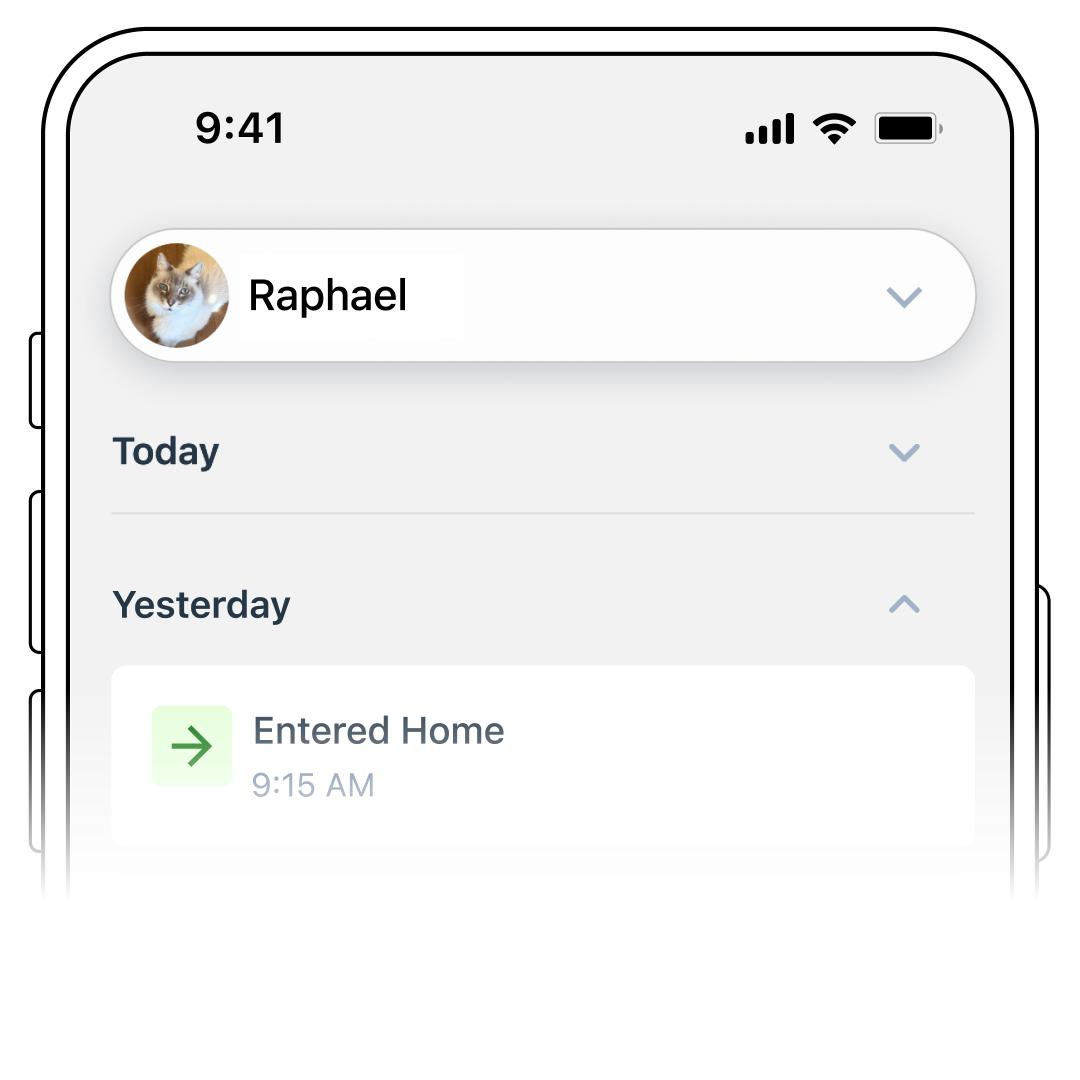
To view a different Tracker’s history, use the pet selector drop-down menu at the top to select another pet.
Stomping Grounds
Stomping Grounds is a daily heat map that shows where your cat spent their time. Areas where your cat spent more time will appear warmer in color, while areas where they spent less time will appear cooler.
If your cat remains within Bluetooth range of the Charging Base for most of the day while using Base Sync, the heat map may primarily display the Wi-Fi location associated with the Charging Base.
Stomping Grounds activity builds throughout the day, so you may see limited data early in the morning. The colors on the heat map may also change as your cat spends more time in different areas throughout the day. For example, an area that appears red earlier may change as another location becomes your cat’s most-visited area.
Beta Feature: Stomping Grounds is currently in beta and is still being improved. As a result, the information displayed may occasionally be limited or change as updates are made.
View Stomping Grounds

Navigate to your cat’s Timeline.
Find the Stomping Grounds event. The current day’s event will display a preview of the selected cat’s heat map.
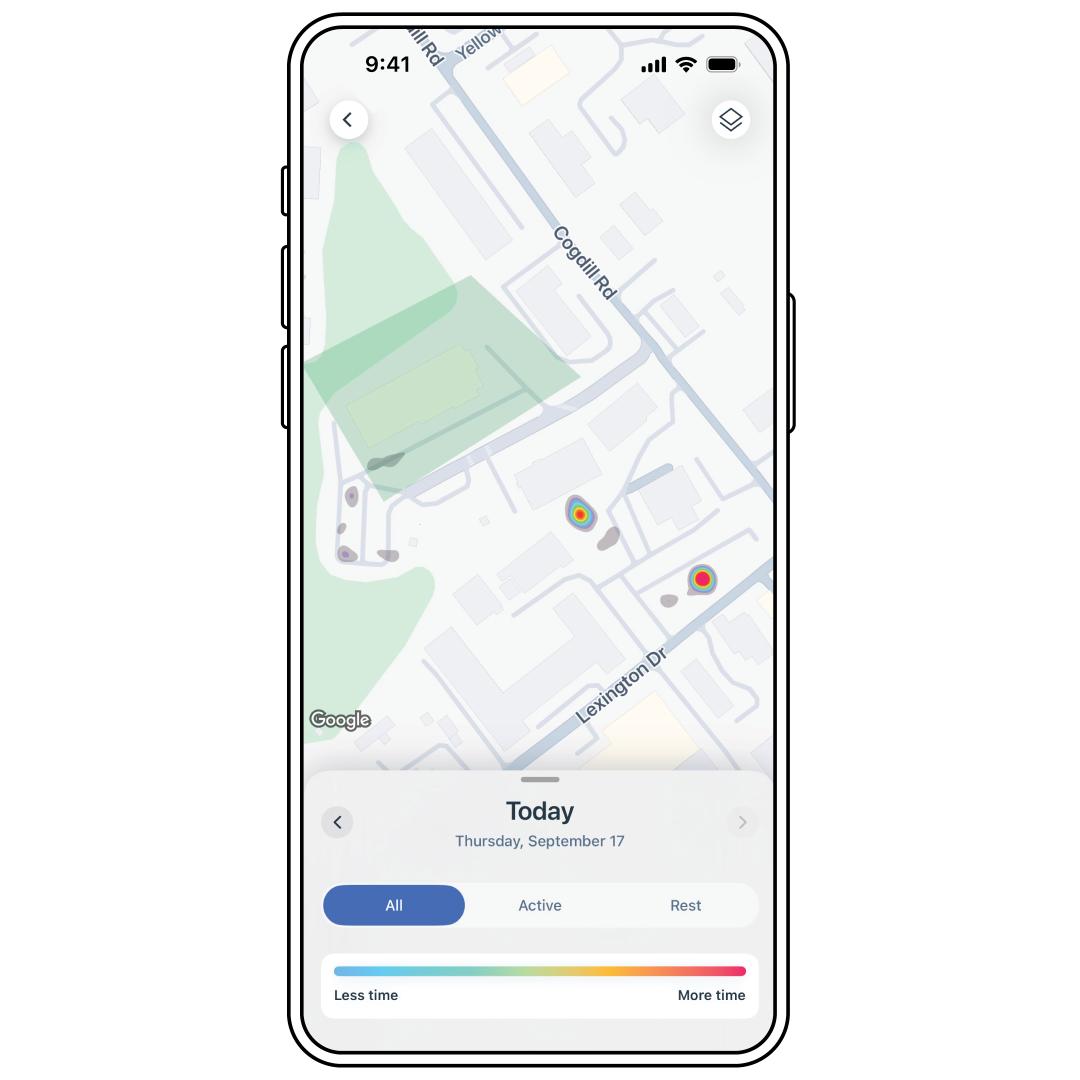
Tap the event to open the full heat map.
- On the Stomping Grounds heat map, you can choose to view where your cat was Active, At Rest or All. The color key at the bottom of the screen explains what each color represents, helping you identify where your cat spent more or less time. Use the arrows to view your cat’s Stomping Grounds from other days.